Category: Blog

  • Shopify Product Listing Optimization- 7 Scary Mistakes to Fix Before Black Friday

    Shopify Product Listing Optimization- 7 Scary Mistakes to Fix Before Black Friday

    Shopify Product Listing Optimization: How to Fix Thin Product Listings Before BFCM

    The scariest thing in ecommerce is a product page nobody can find. Here are seven ways listings get haunted, and how to fix them before Black Friday.

    Thin listings are the quiet horror story of Q4. They look harmless in your admin panel, but they cost you clicks, trust and sales exactly when traffic is at its highest.

    Your store may have a few of them right now. They do not wear costumes. They look like one-line descriptions, copied supplier text and titles no shopper would ever search for.

    Every year, stores spend weeks planning discounts, ads and email flows for Black Friday. Then the sale starts, traffic arrives, and shoppers land on a product page with two lines of text and one photo.

    That is the real problem: a page nobody can find, and nobody can trust once they do.

    With Black Friday just over two weeks away, there is still time to hunt them down. Good Shopify product listing optimization is not complicated, but it does need to start now. Here are the seven problems to look for.

    Every year, stores spend weeks planning discounts, ads and email flows for Black Friday. Then the sale starts, traffic arrives, and shoppers land on a product page with two lines of text and one photo.

    With Black Friday about four weeks away, now is the right time to hunt them down. Good Shopify product listing optimization is not complicated, but it does need to start early. Here are the seven creatures to look for.

    The Ghost Listing

    A ghost listing is a page that is barely there: one or two generic sentences and a single photo. Shoppers cannot learn anything, and search engines have little to index.

    The fix: Write clear benefits, use cases and specs. Our guide to enhanced product descriptions on Shopify shows what a complete description looks like. If you are short on time, a Shopify product description generator can give you a draft to edit.

    2. The Copy-Paste Zombie

    This one rises from the supplier’s spreadsheet. The same text appears on dozens of other stores, so nothing about your page stands out.

    The fix: Rewrite descriptions in your own words, with your own angle. An AI product description generator for Shopify speeds this up, and these ChatGPT prompts for Shopify product descriptions help you get better first drafts.

    3. The Invisible Title

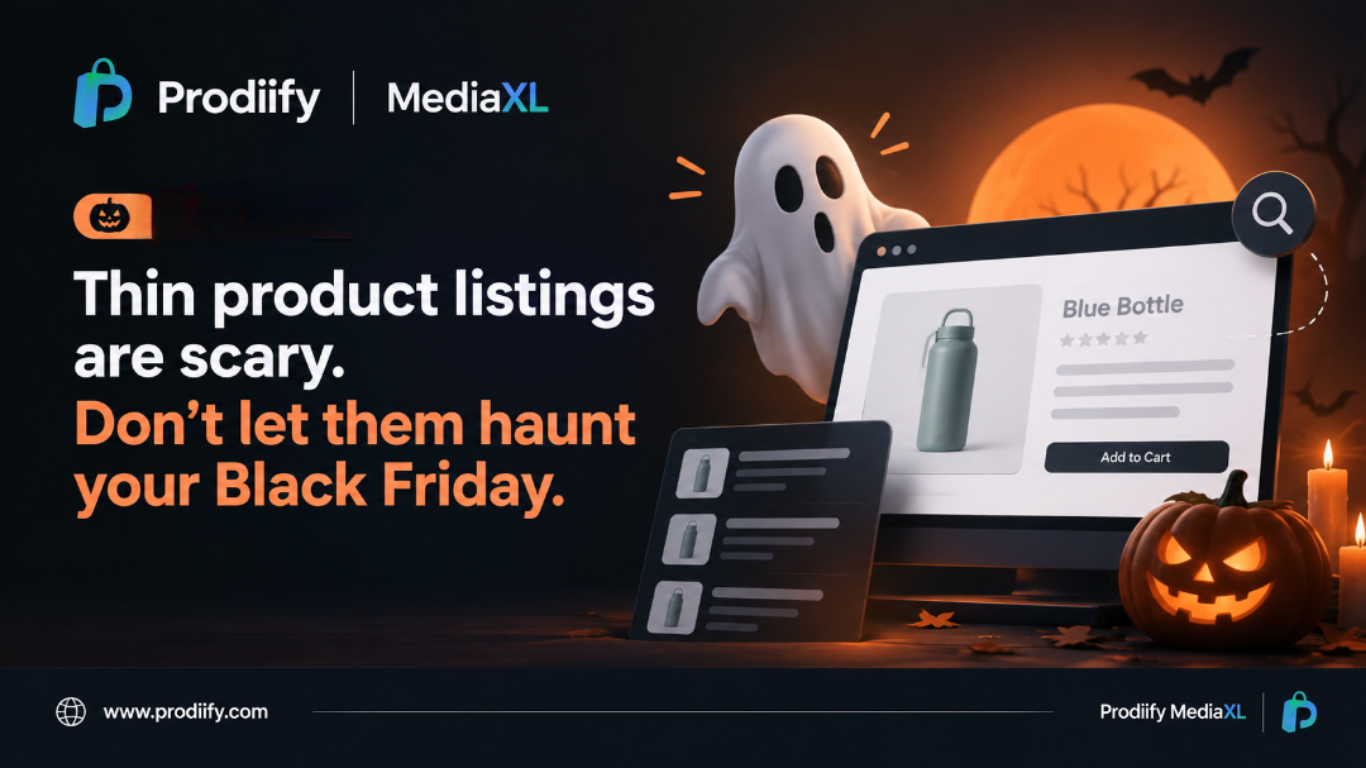
    A title like “Blue Bottle” tells nobody anything. Titles and meta descriptions are often the first thing a shopper sees in search results, so weak ones cost you clicks.

    The fix: Write titles that say what the product is and who it is for, and add a meta description that earns the click. Our Shopify SEO checklist and Shopify SEO tips walk you through it.

    4. The Haunted Backend

    Sometimes the problem is not on the page at all. Technical issues can quietly hold good pages back, and you never see them unless you look.

    The fix: Work through our Shopify technical SEO checklist and clear the cobwebs before the sale.

    5. The Wall of Text

    A long block of text is hard to read on a phone. Shoppers scroll past it and leave.

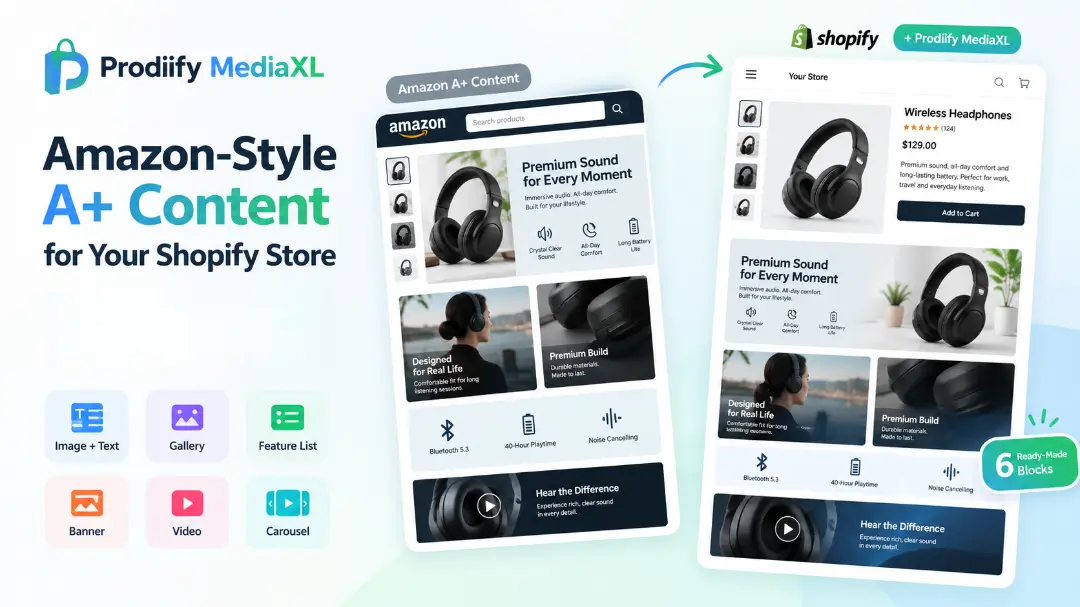
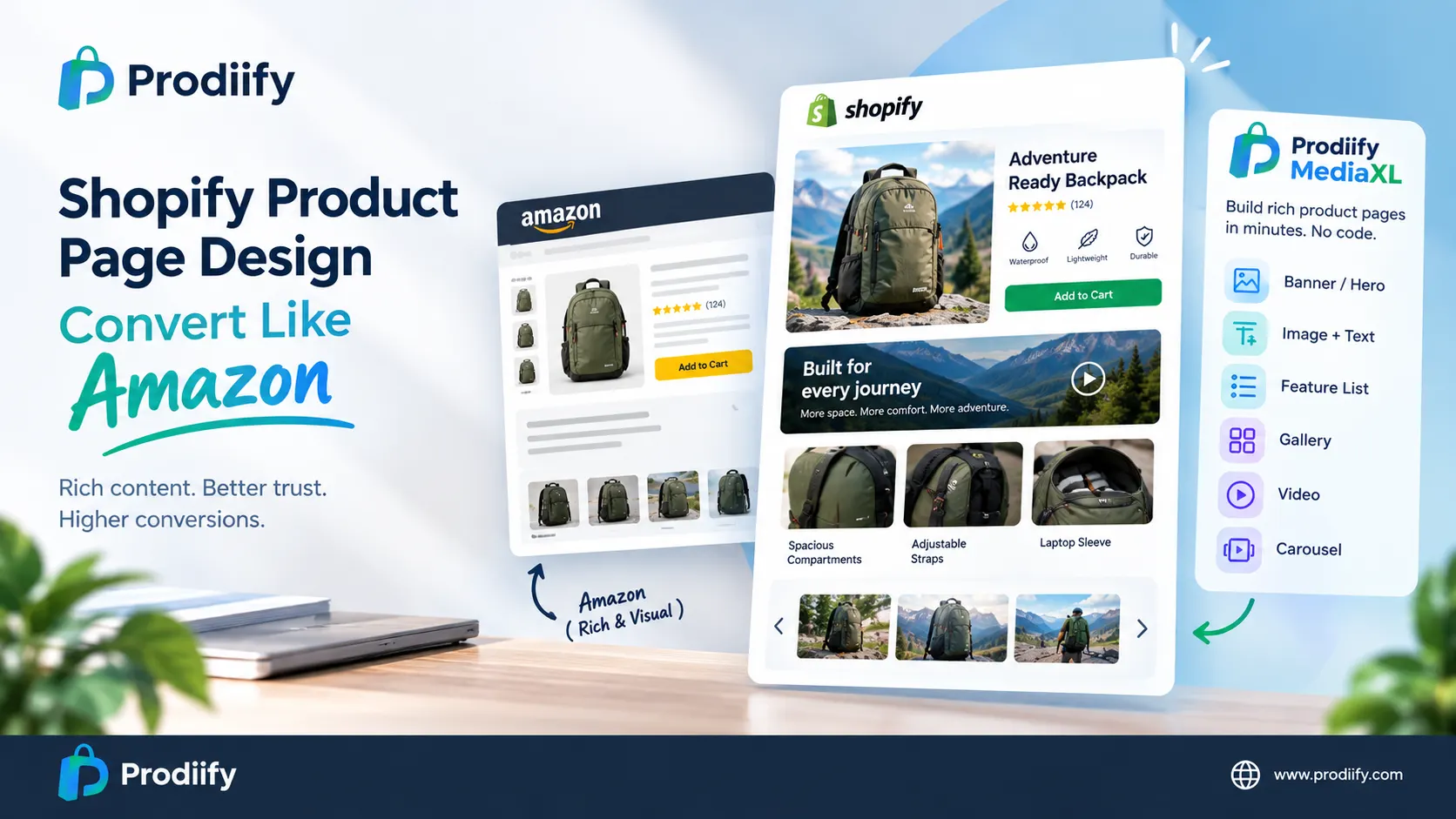
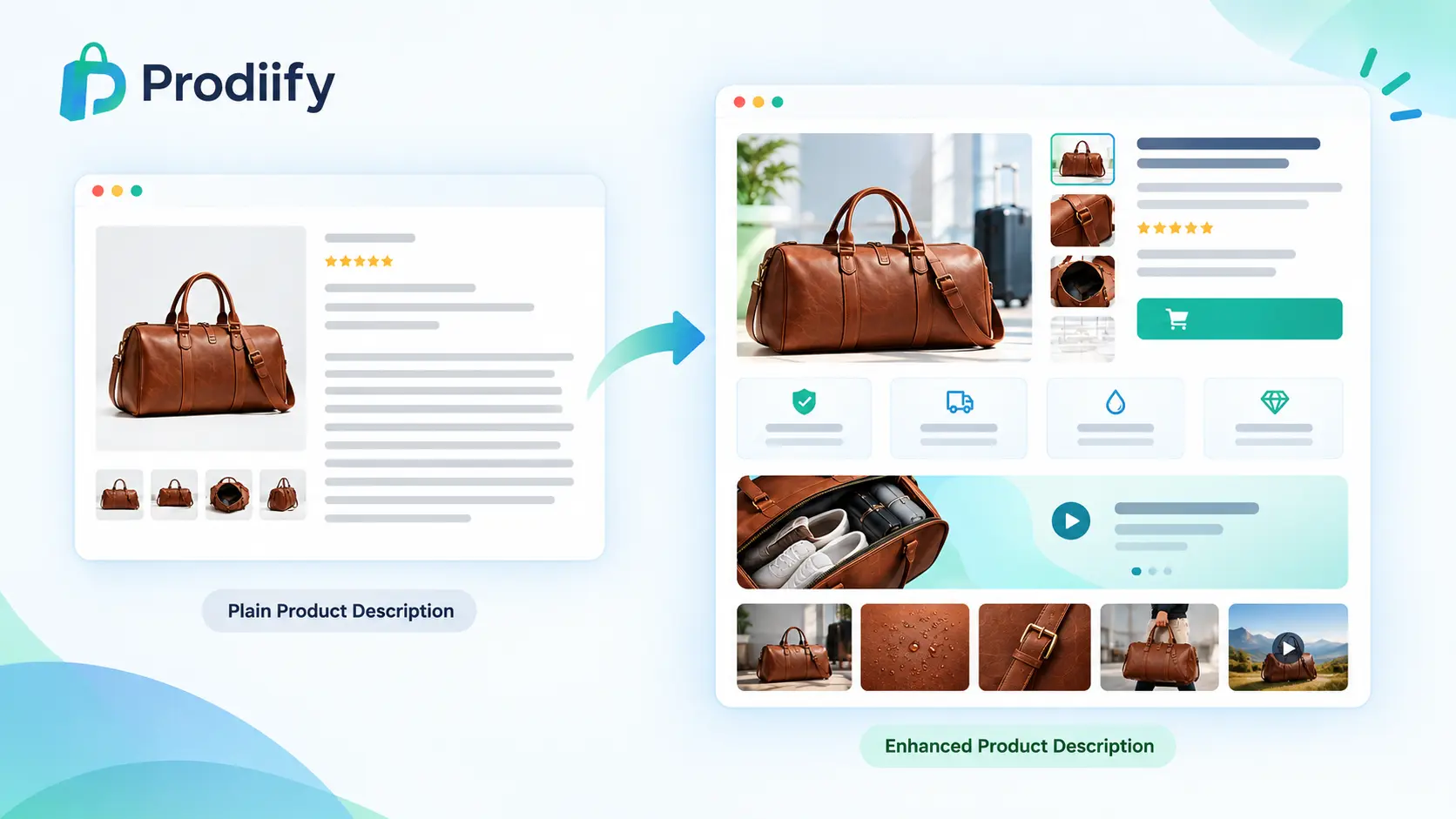
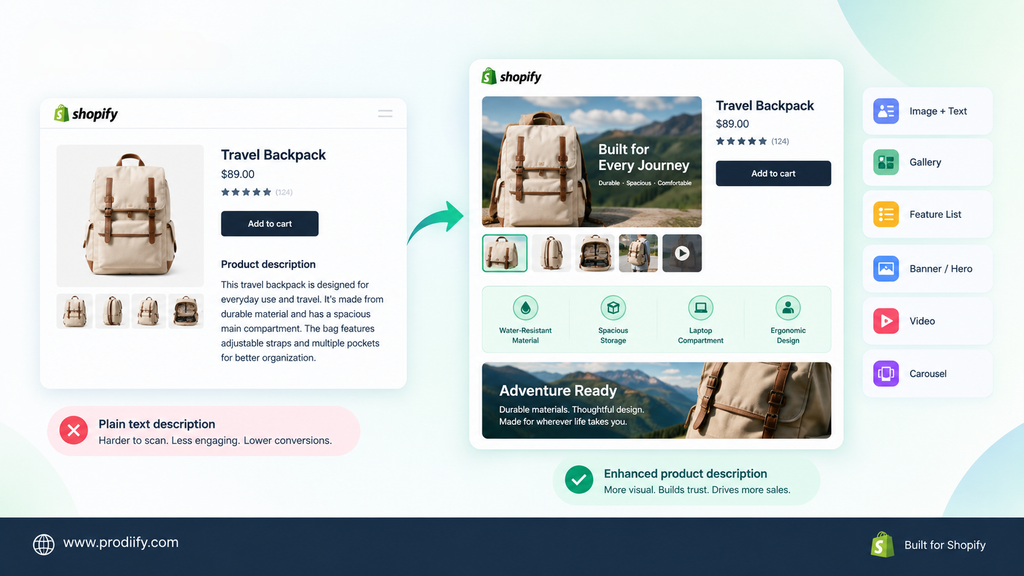
    The fix: Break the page into a hero message, a feature list, a gallery and a video. Our guide to Shopify product page design shows how to structure it. If you want to understand the idea behind richer pages, start with A+ Content for Shopify.

    6. The Marketplace Doppelgänger

    You sell the same product on Amazon and your own store, but they look like two different brands. One feels polished, the other feels like a template.

    The fix: Bring the structure of your marketplace page to your store. Our post on Shopify vs Amazon product pages shows where the gap appears, and our Amazon A+ Content alternative for Shopify guide compares your options.

    7. The Missing Page in AI Search

    More shoppers now ask AI tools what to buy. If your page is thin or unclear, those tools have little to work with.

    The fix: Make pages clear, complete and well structured. Learn more in our guides to Shopify AI search optimization for ChatGPT and how to get your Shopify products in ChatGPT.

    Fix It Faster: Shopify Product Listing Optimization at Scale

    Hunting seven monsters across hundreds of products by hand is how stores run out of time. This is where a tool helps.

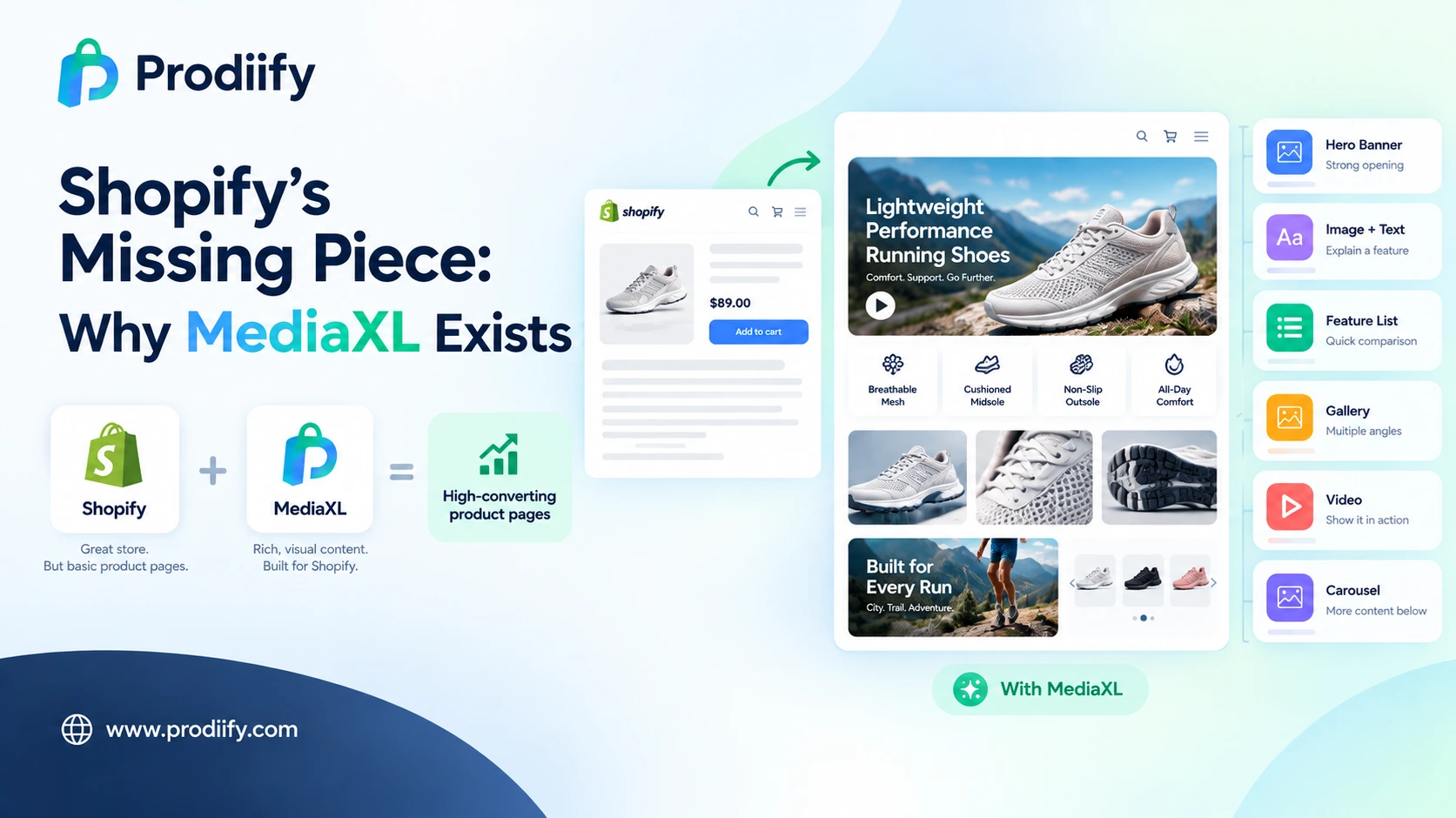
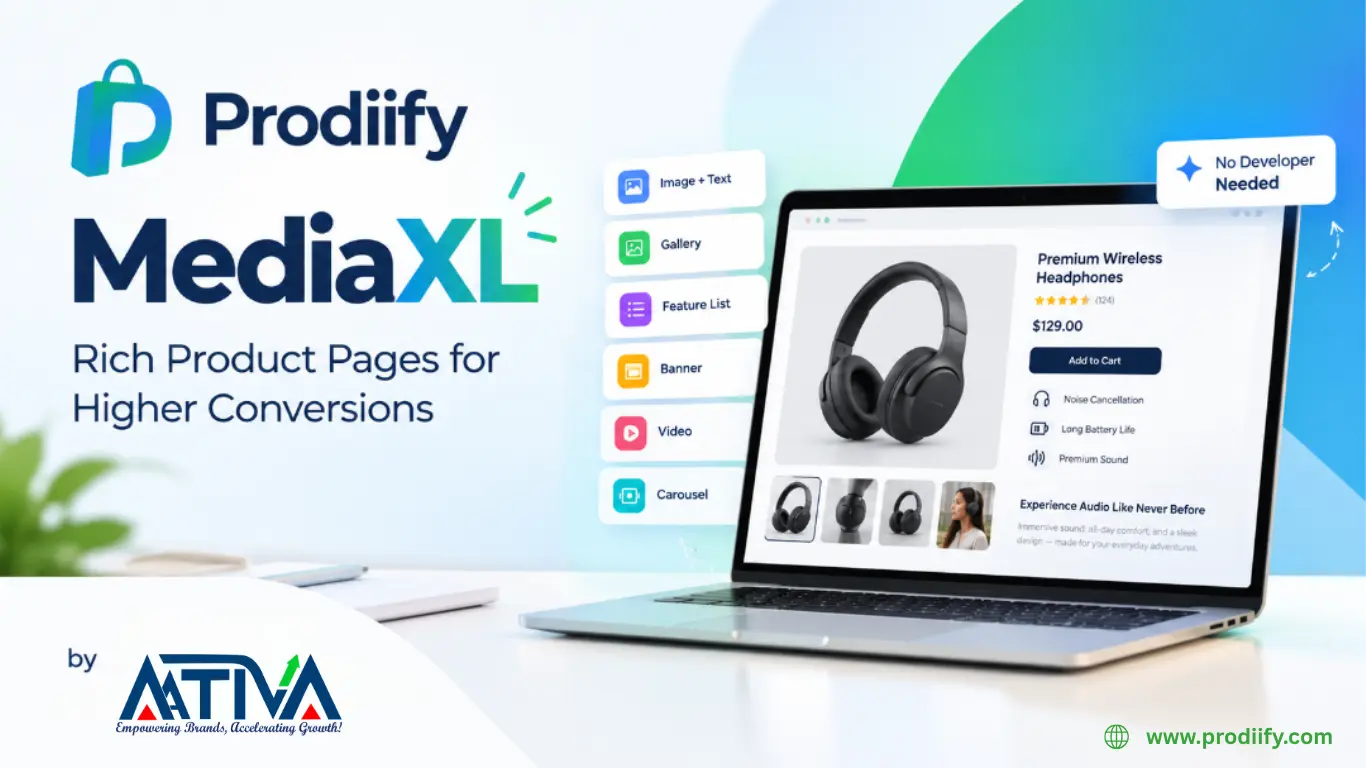
    Prodiify was built for it. The AI SEO app for Shopify stores helps you improve titles, descriptions and meta content in bulk. For the layout side, Prodiify MediaXL adds drag-and-drop blocks (Banner/Hero, Image + Text, Feature List, Gallery, Video and Carousel) to any product page, with no theme edits and no code.

    A Quick Monster Hunt for This Week

    1. List your top five products by traffic or sales.
    2. Check each one against the seven mistakes above.
    3. Fix the worst offender on each page first.
    4. Move on to the next batch of products.

    Small, steady fixes beat a panic rewrite right before the sale.

    FAQs About Shopify product listing optimization

    1.What is Shopify product listing optimization?

    It is the process of improving your product pages so shoppers and search engines can understand them. That includes descriptions, titles, meta content, images and layout.

    2.What are the most common product listing mistakes on Shopify?

    Thin descriptions, copied supplier text, weak titles, missing meta content, text-heavy layouts and technical issues that hold pages back.

    3.How early should I optimize listings before Black Friday?

    As early as you can. Search engines need time to crawl and re-evaluate updated pages, so changes made weeks ahead have a better chance of helping.

    4.Can I optimize many listings without a developer?

    Yes. Apps like Prodiify let you update titles, descriptions and meta content in bulk, and add rich content blocks without touching theme code.

    Make Shopify Product Listing Optimization Your Treat, Not Your Trick

    Thin listings do not fix themselves, and Black Friday does not wait. Start with your best-sellers, fix one mistake at a time, and give your pages the weeks they need to be noticed.

    Try Prodiify free on the Shopify App Store and fix your listings before the rush.

  • AI Product Description Generator for Shopify-Write Better, Sell More

    AI Product Description Generator for Shopify-Write Better, Sell More

    What to Fix Before You Hit Publish What to Fix Before You Hit Publish

    AI Product Description Generator for Shopify-What actually goes wrong with an AI product description generator for Shopify, and how to fix each problem.

    You open ChatGPT, paste in “write a product description for a ceramic coffee dripper,” and get something decent back in ten seconds. Nice. Now do that for the other 299 products in your store. Somewhere around product forty, you stop reading what comes back and start copying whatever looks fine.

    That’s usually the moment people start searching for an AI product description generator for Shopify. Not because they’re curious about AI, but because they’ve hit one of a few very specific walls. Supplier text that’s identical on twenty other sites. A catalog too big to write by hand. Or descriptions that technically exist but all read like they came off the same assembly line.

    This guide is about those walls. What goes wrong when you generate product copy with AI, why it goes wrong, and what to do about it so the result is something a real shopper (and Google) finds useful.

    The five problems people actually run into

    1. Every description sounds the same

    You know the style. “Elevate your everyday with our premium, thoughtfully crafted…” Read three of these in a row and your eyes slide right off the page. Shoppers do the same thing.

    It happens because the tool only knows what you told it. Give it a product name and nothing else, and it fills the gaps with the safest, most average language it has. Average language is invisible.

    What helps: feed it specifics. Material, dimensions, who it’s for, what problem it solves, one detail only your product has. Specific inputs are the single biggest lever you have. We’ll get to a full input list below.

    2. It states things that aren’t true

    This is the one that can actually hurt you. A generator might call a bag “waterproof” when it’s only water-resistant, invent a thread count, or say a supplement “supports immune health” when you’d never be allowed to claim that. It isn’t lying on purpose. It’s pattern-matching on what descriptions of similar products usually say.

    What helps: give it real product data instead of letting it guess, and always read the claims. Materials, sizes, certifications, compatibility, anything medical or safety-related. If you only have time to review one thing, review that.

    3. The copy-paste grind

    Even a good prompt turns into a slog at catalog scale. Open product, copy details, paste into a chat window, copy the answer, paste it back into Shopify, fix the formatting, repeat. It’s not hard work. It’s just work that never ends, which is why a lot of stores abandon it halfway and end up with a mix of old and new descriptions.

    What helps: use something connected to your store’s product data that can run in bulk, so you’re reviewing results instead of shuttling text between tabs.

    4. A description isn’t the whole listing

    People search for an “AI product description generator” and assume the description is the finish line. But the title tag, meta description, and image alt text are what search engines read first, and they’re usually the fields left blank or auto-filled. A beautiful description on a page with a generic title and no alt text is only doing a third of the job.

    What helps: generate the whole set together, with one main keyword per product used naturally in each place. Not five keywords crammed into one sentence.

    5. It doesn’t sound like your brand

    A playful candle shop and a technical hiking-gear store shouldn’t sound alike. Out of the box, most generators write in the same neutral, upbeat register.

    What helps: give it a sample of how you actually write (a good existing description, your About page, a product you’re proud of) and tell it what to avoid. Then hand-edit your top ten sellers. Those pages earn the most and deserve your voice.

    What the difference looks like

    Here’s a made-up example for a ceramic pour-over coffee dripper. First, what you tend to get from a one-line prompt:

    Elevate your morning coffee ritual with our beautifully crafted ceramic dripper. Made with premium materials, this stylish accessory is the perfect addition to any kitchen.

    Nothing in there is wrong, and nothing in there is useful. Now the same product after feeding in real details:

    A hand-glazed stoneware dripper that fits standard #2 cone filters and sits steady on most mugs and carafes. The thick walls hold heat, so your first pour doesn’t cool off on contact. Dishwasher safe. Ships in recycled card, no plastic.

    Same tool, different input. The second version answers the questions a buyer would actually ask: Will it fit my filters? Will it sit on my mug? Can I put it in the dishwasher?

    What to give a generator (the input checklist)

    Whatever tool you use, the quality of the output follows the quality of this list:

    • What it is and who it’s for. “Trail running socks for people with narrow feet,” not “socks.”
    • Real specs. Materials, dimensions, weight, capacity, with actual numbers.
    • What’s in the box. This prevents a surprising number of “I thought it came with…” messages.
    • The problem it solves. One or two sentences in plain words.
    • One main keyword, plus a related phrase or two. Not a list of ten.
    • A tone sample. A paragraph you wrote that sounds like you.
    • Things not to say. Any claim you can’t legally or honestly make.

    How to judge any AI description tool

    Before you commit your whole catalog to one, ask:

    1. Can it work in bulk, or is it one product at a time?
    2. Can you review and edit before anything goes live? If it publishes straight to your store with no review step, be careful.
    3. Does it generate the other fields too: title, meta description, alt text, tags?
    4. Does it pull from your actual product data, or only from a prompt you type?
    5. Is there a free plan or trial, so you can test it on ten products you know well?
    6. How is usage priced? Credits and limits matter more once you’re past a few dozen products.

    Test with products you can fact-check from memory. You’ll spot bad output quickly that way.

    Will Google punish AI-written product pages?

    Short answer: not for being AI-written. Google’s stated position is that it cares whether content is helpful, and it takes action against mass-produced pages made mainly to game rankings, however they were produced. The practical risk isn’t “an AI wrote it.” It’s thin, repetitive pages where fifty products carry near-identical text with only the name swapped. That’s a quality problem, and a human can cause it just as easily by recycling supplier copy.

    So the standard to hold your pages to is simple: would a shopper learn something from this? If yes, you’re fine. Our Shopify SEO tips and Shopify SEO checklist cover what else should be in place around the copy itself.

    Where Prodiify fits

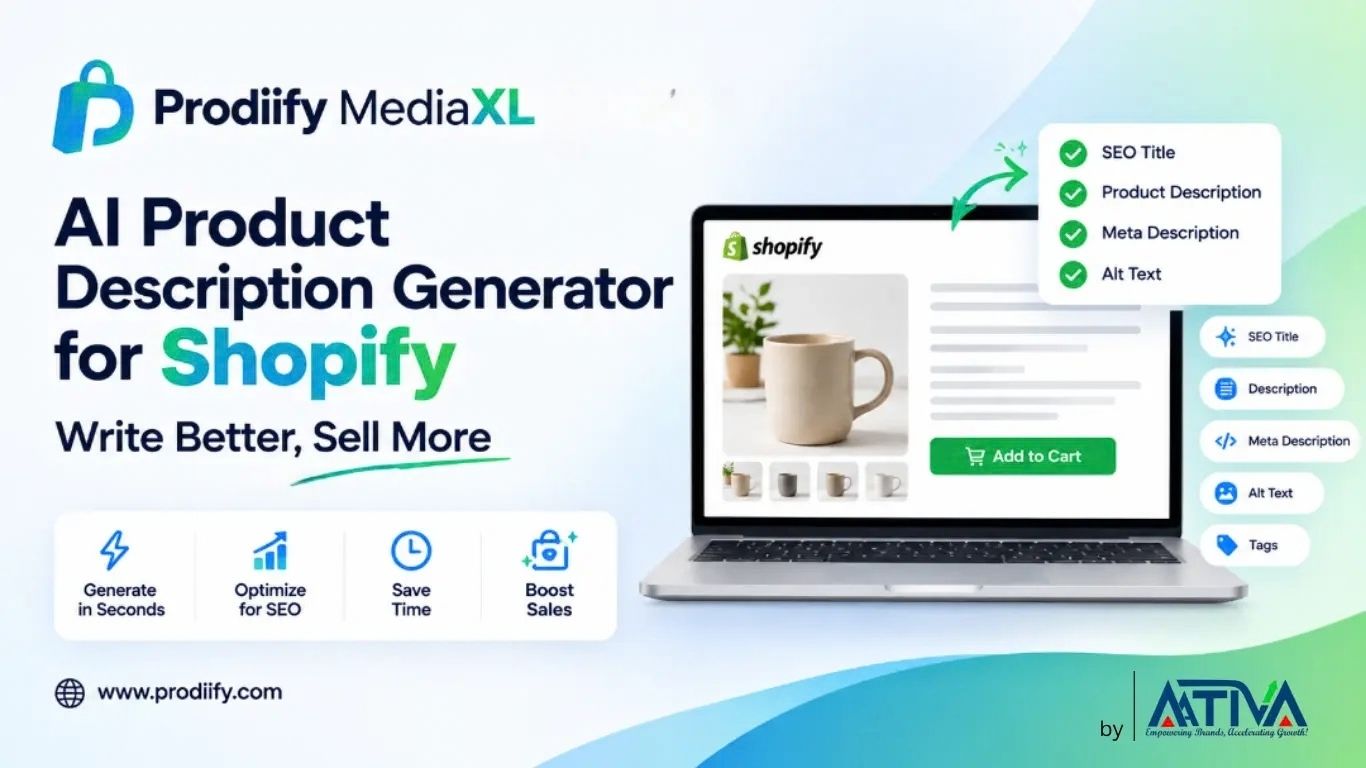
    Prodiify was built around the five problems above. You connect your Shopify store, pick one product or a whole batch, and it generates the SEO title, description, tags, meta description and image alt text together, using your product data and the keywords you care about. You can edit anything or accept it as is, then publish. It also generates product images, and shows how many text and image credits you’ve used as you go.

    It won’t replace your judgment. You still need to read the output, particularly on specs and claims. What it removes is the copy-paste loop and the blank-field problem, which is where most catalogs quietly fall apart. If you’re comparing options, our guide to AI SEO apps for Shopify stores lays out what to look for, and our basic guide to a Shopify product description generator covers the fundamentals. You can try Prodiify free on the Shopify App Store and run it on a handful of products first.

    After the description: show it with Prodiify MediaXL

    Good copy does one job. It tells people what the product is. But some things are simply faster to show than to say: how big it is next to a hand, what the texture looks like, three angles of the same item, a thirty-second clip of it being used.

    That’s what Prodiify MediaXL is for. It adds drag-and-drop content blocks to your product pages: a hero banner, image and text, a feature list, a gallery, video and a carousel. No theme editing and no developer. It’s built for the same reason as the description generator, to close the gap between the product you know and the page a stranger sees. The free plan includes MediaXL content for up to 5 products, so you can try it on your best sellers first.

    Pairing the two works well in practice. Let the generator handle the written layer across the whole catalog, then spend your own time adding visual blocks to the pages that matter most. We cover the thinking behind this in how enhanced product descriptions work on Shopify and in our post on Prodiify MediaXL.

    A simple way to start this week

    1. Pick ten products, a mix of best sellers and ones you know are weak.
    2. Collect the real details for each (the checklist above).
    3. Generate the full set: title, description, meta description, alt text.
    4. Read every claim. Fix anything you can’t verify.
    5. Rewrite the top three by hand in your own voice.
    6. Publish, then check Search Console after a few weeks to see which pages gained impressions.

    If those ten read better than what you had, roll it out in batches. If they don’t, you’ve lost an afternoon, not a catalog.

    Conclusion-AI Product Description Generator for Shopify

    An AI product description generator for Shopify is worth using when it solves a real problem: too many products, too little time, too many pages still carrying supplier text. It stops being worth it the moment you treat it as an autopilot. The stores that get good results give it specific inputs, check the facts, keep their voice on the pages that matter, and generate the title, meta and alt text along with the description.

    Get those habits right and the tool does what it should: takes the repetitive work off your plate so you can spend your time on the parts of the store only you can do. And if you want to take product pages a step further, there’s more on that in our guide to getting your products found in ChatGPT and AI search.

    Prodiify and Prodiify MediaXL by Ativa are both free to try on the Shopify App Store.


    FAQs-AI Product Description Generator for Shopify

    1.Is an AI product description generator good for Shopify SEO?

    It can be, if the output is specific and unique to each product. It helps most when it also fills in the title tag, meta description and alt text, since those are the fields many stores leave empty. It does little for SEO if it produces near-identical text across your catalog.

    2.Can I just use ChatGPT instead of a dedicated tool?

    Yes, and it works well for a handful of products. The trade-off is time. You’re copying details in and pasting results back by hand, and it has no direct link to your Shopify catalog. A dedicated tool mainly saves you that repetitive work at scale.

    3.Will Google penalize AI-generated product descriptions?

    Google doesn’t penalize content simply for being AI-generated. It targets unhelpful, repetitive, mass-produced pages. Unique, accurate descriptions that help shoppers decide are judged on their usefulness, not on how they were written.

    4.How long should a product description be?

    Long enough to answer a buyer’s real questions, usually somewhere between 100 and 300 words for most products. Simple items can be shorter. Complex or high-priced items often need more, ideally broken up with short paragraphs or bullets.

    5.Do I need to edit AI descriptions before publishing?

    Yes. At minimum, check every factual claim: materials, sizes, compatibility, certifications and anything health or safety related. For your top-selling products, rewrite parts in your own voice.

    6.Can I use it for variants and collections too?

    Variants usually share one description with the variant details handled in options, so you don’t need a separate text for each. Collection pages benefit from their own short, unique intro, which is worth writing separately.

  • Shopify Technical SEO Checklist- Make Your Store Easier to Crawl

    Shopify Technical SEO Checklist- Make Your Store Easier to Crawl

    Shopify Technical SEO Checklist-30 Fixes Most Stores Skip

    A practical Shopify technical SEO checklist covering indexing, duplicate URLs, schema, speed and AI crawler access, in the order you should actually fix them.

    Shopify handles a lot of technical SEO for you. It generates a sitemap, adds canonical tags, serves your store over HTTPS and gives you a robots.txt out of the box. That’s exactly why so many store owners assume the technical side is “done” and spend all their energy on content.

    It usually isn’t done. Themes get customized, apps inject their own code, collections multiply, products get archived without redirects, and a year later Google is crawling a messier version of your store than the one you think you have.

    This Shopify technical SEO checklist walks through 30 checks in the order we’d run them: can Google find your pages, which version does it pick, can it understand them, and is the page fast enough to keep the visitor. Most checks take a few minutes. Only a handful need a developer.

    Only have an hour? Do these five first: #1 (Search Console), #5 (indexed vs. real page count), #7 (product URL canonicals), #12 (redirects) and #21 (LCP). They catch the problems that cost stores the most.


    Part 1: Crawling and Indexing

    If a page isn’t indexed, nothing else on this list matters for that page. Start here.

    1. Verify your store as a domain property in Google Search Console-

    A domain property (not just a URL prefix) covers every subdomain and protocol in one view. Set it up in Google Search Console before anything else, because it’s where you’ll confirm every other fix.

    2. Submit your sitemap and actually open it.-

    Shopify generates /sitemap.xml automatically, which links to separate sitemaps for products, collections, pages and blog posts. Submit it in Search Console, then load it in your browser. Products that aren’t available on the Online Store sales channel won’t be in it, which is a common reason “missing” products never get indexed.

    3. Make sure your custom domain is the primary domain-

    Your .myshopify.com address and any non-primary domains should redirect to the primary one. Check that www and non-www resolve to a single version, with no both-versions-live situation.

    4. Review your robots.txt-

    Shopify’s default file already blocks cart, checkout and some sort and multi-tag collection URLs. Open yourstore.com/robots.txt and confirm nothing important is blocked, especially if a developer ever customized robots.txt.liquid. One more rule worth remembering: don’t both block a URL in robots.txt and rely on noindex for it. Google can’t see the noindex tag on a page it isn’t allowed to crawl.

    5. Compare indexed pages against your real page count-

    In Search Console, open the Pages report and compare “Indexed” with the number of products, collections and posts you actually have. Far more indexed than expected usually means parameter or tag URLs are leaking in. Far fewer means something is blocking or de-prioritizing your pages. Our Shopify SEO checklist covers the wider setup if you’re starting from scratch.

    6. Rule out stray noindex tags and the storefront password-

    If the storefront password is still on, search engines can’t see your store at all. Also search your theme for noindex, because theme edits and some apps add it to templates and forget to remove it.

    Part 2: Duplicate Content and Canonical Tags

    Shopify’s structure creates duplicate URLs by design. The question is whether Google is told which one to prefer.

    7. Check product URLs reached through collections-

    The same product can be reached at /products/item and /collections/summer/products/item. Shopify normally sets the canonical to the clean /products/ version. Confirm it by viewing the page source and searching for rel="canonical". Then make sure your theme’s internal links use the canonical form too, so you’re not sending mixed signals.

    8. Handle tag, filter and sort URLs deliberately-

    Parameters like ?sort_by=, ?filter.v.price... and tag combinations can create thousands of near-identical pages. Shopify blocks some of these by default, but not necessarily the ones your theme or filter app generates. Decide which filtered pages deserve to be indexed (a “blue running shoes” filter with real search demand might) and noindex or canonicalize the rest.

    9. Audit overlapping collections-

    Two collections sharing most of their products compete for the same searches. Merge them, or give each a clearly different purpose and its own unique intro copy.

    10. Check pagination-

    Collection pages beyond page one (?page=2) should be crawlable and linked with plain links, not hidden behind an infinite-scroll script that Googlebot can’t trigger. If your theme uses “load more,” confirm paginated URLs still exist and are discoverable.


    Part 3: URLs and Redirects

    11. Keep handles short and descriptive-

    /products/mens-waterproof-hiking-jacket beats /products/mens-waterproof-hiking-jacket-2026-new-edition-final. Shorter handles are easier to read in results and less likely to need changing later. Changing them later means redirects, which brings us to the next one.

    12. Redirect every deleted, archived or renamed URL-

    Add 301 redirects in Online Store → Navigation → URL redirects. Shopify offers to create one automatically when you change a handle, so tick that box rather than dismissing it. Then look for chains (A redirects to B redirects to C) and loops, especially after a migration or redesign. Point old URLs straight at their final destination, and update internal links so they don’t rely on a redirect at all.

    Part 4- On-Page Technical Elements

    13. One H1 per page, in logical heading order-

    Some themes accidentally wrap the store logo in an H1 on every page, so the product title ends up as an H2. Inspect a product page and a collection page and confirm the H1 is the page’s actual title, with H2s and H3s nested sensibly below it.

    14. Write unique title tags-

    Keep them under roughly 60 characters, with the main keyword near the front. Shopify’s auto-generated titles are often just the product name plus store name, which wastes your best ranking signal. Doing this by hand across hundreds of products is where most stores stall. This is the kind of job a Shopify product description generator or an AI SEO app for Shopify stores can do in bulk.

    15. Write unique meta descriptions-

    Aim for 120 to 160 characters that describe the page and give a reason to click. Blank ones get auto-filled from body text and often cut off mid-sentence. Duplicates across products make every result look the same.

    16. Add descriptive alt text to every product image-

    Describe what’s in the image (color, angle, context) rather than stuffing keywords. It helps image search and accessibility. A good pattern is product + key attribute + context, for example “navy merino wool sweater, front view.”

    17. Use real links for navigation-

    Googlebot follows <a href="..."> links. If a menu, filter or “related products” block is driven only by JavaScript click handlers, those destinations may never be discovered. Test by disabling JavaScript and seeing whether the main navigation still works.

    Part 5: Structured Data (Schema)

    18. Validate your Product schema-

    Run a product page through Google’s Rich Results Test. Check that price, currency, availability and image are present and match what’s visible on the page. Mismatched prices are a common cause of rich result warnings.

    19. Look for duplicate or conflicting schema-

    Your theme may output Product schema, and a reviews app may add a second block. Two conflicting versions can confuse parsers. Use the Schema Markup Validator to see everything on the page, and keep one source of truth.

    20. Mark up reviews honestly, and add breadcrumbs-

    Only include aggregateRating when real, visible customer reviews back it up. Google’s guidelines are strict about this. BreadcrumbList schema is worth adding too, since it clarifies site structure and can improve how your result displays.

    Part 6: Speed and Core Web Vitals

    Test your homepage, a top collection and a best-selling product page in PageSpeed Insights, and pay attention to field data (real users) over the lab score where it’s available. The targets Google uses are LCP under 2.5 seconds, INP under 200 ms and CLS under 0.1.

    21. Fix LCP: the biggest image above the fold-

    On most product pages the Largest Contentful Paint element is the main product image or a hero banner. Make sure it is not lazy-loaded, give it high fetch priority, and serve it at the size it’s displayed, not a 4000px original.

    22. Fix INP: heavy JavaScript-

    Slow responses to taps and clicks usually trace back to third-party scripts: chat widgets, popups, tracking pixels, review carousels. Defer what you can and remove what you can’t justify.

    23. Fix CLS: layout shift-

    Reserve space for images (set width and height or aspect ratio), and watch for banners, cookie bars and popups that push content down after the page has loaded.

    24. Audit your apps every quarter-

    Each installed app can add scripts and stylesheets to every page, even after you stop using it. Uninstall what’s unused, then check your theme for leftover snippets, because removing an app doesn’t always remove its code. If you add rich content sections later, such as MediaXL blocks from Prodiify, re-run PageSpeed on a test product afterward, as you should with any visual addition.

    25. Optimize images properly-

    Use Shopify’s image URL parameters or the image_url filter with responsive srcset so phones aren’t downloading desktop-sized files. Compress before upload, and prefer modern formats where your theme supports them.

    Part 7: Mobile and Rendering–

    26. Test on a real phone-

    Google indexes the mobile version first. Resizing a desktop browser isn’t the same as holding a phone: check tap-target spacing, sticky headers that cover content, image swiping and the full path to checkout.

    27. Check what Googlebot actually sees-

    In Search Console, use URL Inspection → Test live URL → View tested page to see the rendered HTML. If key content (descriptions, reviews, prices) is injected late by an app or script, confirm it appears in the rendered version. This matters even more on heavily customized or headless setups.

    Part 8: Domains, Security and International

    28. Confirm HTTPS everywhere with no mixed content-

    Shopify provides SSL, but a hardcoded http:// image or script in a theme or page can still trigger mixed-content warnings. Check the browser console on a few key pages.

    29. Verify hreflang if you sell in several regions-

    Shopify Markets adds hreflang tags automatically for configured markets, but verify them if you use multiple domains, subfolders or a translation app. Each version should reference the others, and none should point to a redirected URL.

    Part 9: AI Crawler Access

    30. Decide deliberately who can crawl you-

    More shoppers now ask ChatGPT, Gemini and Perplexity what to buy. Check your robots.txt isn’t unintentionally blocking the crawlers behind those tools (for example GPTBot or PerplexityBot) if you want to be recommended there. Whether to allow or block them is a business decision, but it should be a decision, not an accident. Beyond access, clear and specific content is what gets products cited. We cover that in how to get your Shopify products found on ChatGPT and AI search.


    Where Technical SEO Ends and Content SEO Begins

    Everything above makes sure Google can reach, understand and quickly load your pages. It won’t make a thin page rank. Once the foundation is solid, the next gains come from what’s on the page: unique titles, meta descriptions, product descriptions and alt text across the whole catalog (checks #14 to #16), plus richer content that helps shoppers decide.

    To be clear about scope, Prodiify doesn’t fix canonicals, redirects or page speed. It handles the content layer: AI-generated SEO titles, descriptions, meta tags and alt text in bulk, and MediaXL for rich product page content. If you want the broader picture, our Shopify SEO tips and guide to enhanced product descriptions pick up where this checklist stops. You can try Prodiify free on the Shopify App Store and test it on a handful of products before rolling it out.

    Conclusion

    Technical SEO on Shopify is less about exotic tricks and more about repeating a few boring checks: confirm Google can find your pages, make sure it knows which URL is the real one, keep redirects tidy, validate your schema and keep pages light. Work through this Shopify technical SEO checklist once, then make a quarterly habit of re-checking the items that drift (apps, redirects, indexed page counts and Core Web Vitals).

    Fix the foundation first, then put your effort into the content that turns those clean, fast pages into rankings and sales.


    FAQs-About Shopify Technical SEO Checklist

    How often should I run a Shopify technical SEO audit?

    A full pass once or twice a year is reasonable, with a lighter quarterly check on indexed page counts, redirects, installed apps and Core Web Vitals. Run an extra audit after any theme change, migration or major app install.

    Does Shopify handle technical SEO automatically?

    Partly. It generates the sitemap, canonical tags, SSL and a default robots.txt. It doesn’t audit your redirects, schema conflicts, app bloat, filter URLs or page speed, so those still need a human check.

    What’s the most common Shopify technical SEO mistake?

    Leaving old URLs without redirects after deleting or renaming products, closely followed by letting app scripts pile up until page speed suffers. Both are easy to prevent and slow to notice.

    Do I need a developer for this checklist?

    Many checks (Search Console setup, sitemap submission, redirects, auditing apps, validating schema) need no code. Editing theme files for heading structure, duplicate schema, canonical output or robots.txt.liquid may need developer help or careful theme edits.

    How long until technical fixes show results?

    Indexing and canonical fixes can show up in Search Console within days to a few weeks. Ranking and traffic changes usually take longer, often one to three months, depending on your competition and how often Google recrawls your site.

    Is technical SEO more important than content for a Shopify store?

    They work together. Technical SEO removes the barriers so Google can access and trust your pages, and content gives it a reason to rank them. A broken foundation caps what great content can do, and a clean foundation with thin content won’t rank either.
  • 15 Free ChatGPT Prompts for Shopify Product Descriptions

    15 Free ChatGPT Prompts for Shopify Product Descriptions

    ChatGPT Prompts for Shopify Product Descriptions

    If you’ve ever typed “write a product description for my candle” into ChatGPT, you know what comes back: a generic paragraph full of words like “elevate,” “luxurious,” and “perfect for any occasion.” It reads like every other store, and Google treats it that way too.

    The problem usually isn’t ChatGPT. It’s the prompt. A good prompt gives the AI your product facts, your customer, your tone, and your keyword. This guide gives you 15 tested prompt templates for Shopify product descriptions, titles, meta tags, and alt text. Copy them, fill in the brackets, and get copy you can actually use.

    Why most ChatGPT product descriptions fall flat

    Weak prompts produce weak copy for three reasons:

    1. No product facts. The AI invents benefits because you didn’t give it real ones.
    2. No customer. Without knowing who’s buying, it writes for everyone, which means no one.
    3. No SEO target. It doesn’t know which keyword to use or where to put it.

    Every prompt below fixes at least one of these.

    The 5 inputs every prompt needs

    Before you paste anything, gather these:

    • Product name and type
    • Key specs: materials, sizes, ingredients, dimensions
    • Target customer: who they are and what problem they have
    • Brand tone: playful, premium, minimal, technical
    • Target keyword: the phrase shoppers would search
    Free ChatGPT Prompts for Shopify Product Descriptions

    Keep these in a doc so you can reuse them across products.

    Part 1: Core product description prompts

    Prompt 1: The foundation prompt

    You are an ecommerce copywriter for a Shopify store. Write a product description for [product name].
    Product details: [materials, size, features].
    Target customer: [who they are and their main problem].
    Tone: [tone].
    Use the keyword “[keyword]” once in the first sentence and once more naturally.
    Structure: a 2-sentence opening, then 4 short benefit bullets, then a 1-sentence closing.
    Do not use the words “elevate,” “perfect,” “luxurious,” or “game-changer.” Only use the details I gave you. Do not invent specs.

    The last line matters most. It stops ChatGPT from making up features, which can cause returns and trust problems.

    Prompt 2: Benefit-first description

    Rewrite this product description so every feature is turned into a customer benefit. Format each as “feature, so you can [benefit].” Keep it under 120 words.
    Original: [paste description]

    Prompt 3: Short description for collection and mobile

    Write a 25-word product description for [product] that fits under a product card. Lead with the single strongest benefit for [customer]. Include “[keyword].”

    Prompt 4: Storytelling description

    Write a 100-word product description for [product] that opens with a short, relatable moment a [customer] would recognize, then connects it to the product. Tone: [tone]. End with one clear reason to buy.

    Prompt 5: Objection-handling description

    List the 5 most common reasons someone would hesitate to buy [product] online (fit, quality, shipping, price, safety). Then write a product description that answers the top 3 objections without sounding defensive.

    Part 2: Shopify SEO prompts

    Prompt 6: SEO product title

    Write 5 Shopify product titles for [product] under 60 characters. Put the main keyword “[keyword]” first, then one differentiator (material, size, or use). No keyword stuffing, no all caps.

    Prompt 7: Meta title and meta description

    Write a meta title (under 60 characters) and meta description (under 155 characters) for this product page. Include “[keyword]” in both. The description should include one benefit and a soft call to action.
    Product: [name and short details]

    Prompt 8: Image alt text

    Write alt text under 125 characters for these product images. Describe what’s visible, include the product type naturally, and don’t start with “image of.”
    Images: [describe each image]

    Prompt 9: Collection page description

    Write a 120-word collection page intro for “[collection name].” Include “[keyword]” in the first sentence, mention 2 related terms, and end with a sentence that guides shoppers to filter or browse. Tone: [tone].

    Prompt 10: Keyword variations

    I sell [product]. Give me 15 long-tail keywords real shoppers would search, grouped by intent: browsing, comparing, ready to buy. Don’t invent search volume numbers.

    Check volumes in a keyword tool before you target any of them. If you want the full strategy, our Shopify SEO checklist walks through it.

    Part 3: Scaling and quality prompts

    Prompt 11: Variant descriptions

    Here is my main product description: [paste]. Write short variants for these colors/sizes: [list]. Keep the core copy, change only what is different. Each under 40 words.

    Prompt 12: Brand voice trainer

    Here are 3 descriptions I love from my store: [paste]. Analyze the voice (sentence length, vocabulary, humor, formality) in 5 bullets. Then write a new description for [product] in exactly that voice.

    Run this one once per session, then use the voice summary at the start of every later prompt.

    Prompt 13: Fact-check pass

    Compare this description to my product facts. List any claims in the description that are not supported by the facts.
    Description: [paste]
    Facts: [paste]

    Always run this on AI-written copy. It’s the cheapest quality check you have.

    Prompt 14: Plagiarism and sameness check

    Rewrite this description so it doesn’t share phrases with typical competitor listings for [product type]. Replace generic phrases with specific details from my product facts: [paste].

    Prompt 15: Description for AI shopping search

    Rewrite this description so it clearly states what the product is, who it’s for, materials, dimensions, and use cases in plain language, so an AI assistant could accurately recommend it. Keep it readable for humans.

    AI search tools favor clear, factual product data. We cover this in more depth in our guide to Shopify AI search optimization.

    Tips to get better results from any prompt

    • Give facts, not adjectives. “Waxed cotton, 18 oz” beats “durable.”
    • Ban the clichés. List the words you never want to see.
    • Ask for one format at a time. Descriptions, titles, and meta tags in one prompt gives mushy results.
    • Edit the output. AI gets you 80% of the way. Your last pass adds the specifics.
    • Never publish unchecked. Verify sizes, materials, and claims every time.

    Where prompts stop working

    Prompts work well for 10 or 20 products. At 200 or 2,000, the workflow breaks down:

    • You copy and paste each product by hand
    • Voice drifts between sessions
    • Titles, meta tags, and alt text are separate jobs
    • Nothing writes back to your store, so you paste everything into Shopify manually

    That’s when a tool built for Shopify saves hours. Prodiify generates product titles, descriptions, tags, and alt text from your actual product data and optimizes in bulk. If you’re comparing options, see our guide to the best Shopify product description generator and our overview of the AI SEO app for Shopify stores.

    Once your copy is solid, strengthen the rest of the page with A+ content for Shopify or the drag-and-drop builder in MediaXL. For more on rich copy, read about enhanced product descriptions and our 10 Shopify SEO tips.

    FAQs- ChatGPT Prompts for Shopify Product Descriptions

    1.Can ChatGPT write Shopify product descriptions?
    Yes. It writes a solid first draft when you give it product facts, a target customer, tone, and a keyword. Always edit and fact-check before publishing.

    2.Does Google penalize AI-written product descriptions?
    Google’s guidance focuses on whether content is helpful and original, not on how it was produced. Generic, copied, or inaccurate copy performs poorly whether a person or an AI wrote it.

    3.How long should a Shopify product description be?
    There’s no fixed number. Short products can work at 80 to 150 words, while complex ones may need more. Cover what the buyer needs to decide.

    4.What’s the best ChatGPT prompt for product descriptions?
    Prompt 1 above is a strong starting point. The key parts are real product facts, a defined customer, a banned-words list, and a “don’t invent specs” instruction.

    5.When should I use a tool instead of ChatGPT prompts?
    When you have many products, want consistent voice, or need titles, descriptions, tags, and alt text updated together without manual pasting.

    Try it on your store

    Start with Prompt 1 on your top three products this week. When you’re ready to do it across your whole catalog, try Prodiify on the Shopify App Store or visit prodiify.com.

    Follow Prodiify: X · Medium · Pinterest

  • How to Get Your Shopify Products Recommended by Chat GPT

    How to Get Your Shopify Products Recommended by Chat GPT

    How to Get Your Shopify Products

    Shoppers no longer start only on Google. They open ChatGPT and type things like “best vegan leather tote under $150” or “gift for a coffee lover who has everything.” The assistant answers with a short list of products, and if yours isn’t on it, that customer never visits your store.

    The good news: you don’t need a developer or a special integration to compete here. What gets products recommended is mostly clean, complete, clear product data, which is the same thing good Shopify SEO has always rewarded. This guide shows you how to get your Shopify products in ChatGPT and what to fix first.

    How ChatGPT shopping works for Shopify stores

    In March 2026, Shopify turned on its Agentic Storefronts channel by default for eligible US merchants. It makes eligible products discoverable in ChatGPT and other AI surfaces such as Microsoft Copilot, Google AI Mode, and Gemini, with no separate app to install.

    In practice, shoppers see your products inside the conversation, and they typically finish the purchase on your own storefront. That means you keep your checkout, your offers, and your customer relationship.

    Two things matter here:

    1. Being eligible is not the same as being recommended. Thousands of stores sell similar products. The AI has to choose.
    2. It chooses based on data it can read and trust. Titles, descriptions, attributes, images, price, stock, and reviews all feed that decision.
    How to Get Your Shopify Products
    How to Get Your Shopify Products

    Eligibility and rollout details can change by country and plan, so confirm your status in your Shopify Admin (see Step 1).

    Step 1: Check that Agentic Storefronts is on

    1. In your Shopify Admin, open your sales channels and look for Agentic Storefronts.
    2. Confirm your products are included and not excluded by a filter.
    3. Look at the dashboard for orders and conversions coming from AI channels, if available for your store.
    4. Check that your store is in a supported region.

    If a product isn’t included, nothing else on this list will help it show up. Start here.

    Step 2: Write product titles that match how people ask

    Shoppers talk to ChatGPT in plain language. Your titles should too.

    Weak: Aria Tote – Black
    Strong: Aria Vegan Leather Tote Bag for Work, 15-Inch Laptop Fit, Black

    A good title includes the product type, material, key use, and one distinguishing attribute, all in natural language. Skip keyword stuffing.

    Our Shopify SEO checklist has a full title formula you can reuse.

    Step 3: Make descriptions factual and complete

    AI assistants compare products against what the shopper asked for. If your description says “perfect for any occasion,” it has nothing to match. If it says “fits a 15-inch laptop, water-resistant lining, 12 oz,” it does.

    In every description, state clearly:

    • What it is and who it’s for
    • Materials and ingredients
    • Dimensions, sizes, and weight
    • Use cases: “for travel,” “for sensitive skin,” “for small kitchens”
    • What makes it different: the honest reason to pick it

    Cut vague hype. Keep it readable for humans, because people still land on the page.

    Need a starting point? Use our free ChatGPT prompts for Shopify product descriptions, or read about enhanced product descriptions.

    Step 4: Fill in every product attribute

    Empty fields are missed chances to be matched. Complete as many as apply:

    • Product category and type
    • Color, size, material, pattern, gender, age group
    • Brand, SKU, and barcode (GTIN) where you have them
    • Variant details that are accurate and consistent
    • Accurate price, availability, and shipping info

    Inconsistent data hurts you. If your page says “in stock” and your feed says otherwise, expect the product to be skipped.

    Step 5: Add structured data and clean metadata

    Structured data (schema) tells machines exactly what’s on the page: name, price, availability, reviews. Most modern Shopify themes output the basics, but check:

    • Product schema is present and error-free (test with Google’s Rich Results Test)
    • Meta titles and descriptions are written for every product
    • Image alt text describes what’s actually in the image

    Alt text, titles, and meta tags are slow to write one by one. That’s exactly what tools like Prodiify’s AI SEO app automate across your catalog.

    Step 6: Build reviews and trust signals

    AI assistants lean on signals that a product is good and that the store is legitimate. Where you can:

    • Collect real customer reviews and show them on product pages
    • Publish clear shipping, returns, and contact pages
    • Keep your About page specific about who you are
    • Earn mentions from independent sites, blogs, and roundups

    You can’t fake this. A steady stream of honest reviews is one of the strongest long-term moves you can make.

    Step 7: Publish content that answers real questions

    Shoppers ask ChatGPT questions before they pick products: “how to choose a standing desk,” “what’s the difference between ceramic and cast iron pans.” If your blog answers those questions clearly, you become a source the AI and the shopper both trust.

    Good formats:

    • Buying guides and comparisons
    • “Best X for Y” pages written honestly
    • FAQ sections on collection and product pages
    • Size, care, and how-to guides

    Read more about the thinking behind this in our guide to Shopify AI search optimization.

    Step 8: Improve your product page quality

    When a shopper clicks through from ChatGPT, the page has to close the sale. Strong images, clear benefits, comparison blocks, and FAQs all help. Our guide to A+ content for Shopify shows how, and MediaXL lets you build those layouts with drag and drop. If you also sell on marketplaces, see this Amazon A+ content alternative for Shopify.

    Step 9: Test it yourself

    Once a month, run real shopper-style prompts in ChatGPT:

    • “Best [your product type] for [specific need]”
    • “[Your product type] under $[price]”
    • “Gift ideas for [your customer]”
    • “Compare [your brand] vs [competitor]”

    Note whether your products appear, how they’re described, and what’s wrong or missing. Results vary between sessions, so look for patterns, not single answers. Fix any wrong details in your product data.

    Quick checklist

    • Agentic Storefronts enabled and products included
    • Natural-language product titles
    • Factual, spec-rich descriptions
    • All attributes filled in
    • Price and stock accurate everywhere
    • Product schema and meta tags in place
    • Image alt text written
    • Reviews and trust pages live
    • Buying guides and FAQs published
    • Monthly prompt tests logged

    Common mistakes to avoid

    • Assuming “on” means “recommended.” Eligibility is only the entry ticket.
    • Copying manufacturer descriptions. Duplicate text gives the AI no reason to choose you.
    • Keyword stuffing. It reads badly to humans and machines.
    • Leaving variants messy. Inconsistent sizes and colors confuse matching.
    • Making unproven claims. “Best in the world” can hurt trust, and some claims create legal risk.

    Where Prodiify fits

    Most of the work above is repetitive: titles, descriptions, tags, and alt text across hundreds of products. Prodiify generates and optimizes them from your actual product data, in bulk, so your catalog is readable by shoppers, Google, and AI assistants alike. See how the Shopify product description generator works, or check our 10 Shopify SEO tips.

    FAQs About how to get products in chatgpt

    1.Can I sell my Shopify products on ChatGPT?
    Eligible Shopify products can be discovered in ChatGPT through Shopify’s Agentic Storefronts channel. Shoppers typically complete the purchase on your store. Check your Shopify Admin for your store’s eligibility.

    2.Do I have to pay to appear in ChatGPT shopping results?
    Shopify has described Agentic Storefronts as having no additional fees beyond standard payment processing. Product recommendations in ChatGPT are not paid placements, so data quality matters.

    3.How do I know if ChatGPT recommends my products?
    Ask it shopper-style questions about your category each month, and check the Agentic Storefronts dashboard in Shopify Admin for AI-channel orders if it’s available to you.

    4.Does this replace Google SEO?
    No. Good Shopify SEO and good AI visibility overlap heavily. Clean titles, complete data, and helpful content help you in both.

    5.How long does it take to show up?
    There’s no fixed timeline. Fixing your data helps quickly, but reviews, content, and authority build over months.

    Get your catalog AI-ready

    Start with Step 1 today, then fix your top 20 products first. When you’re ready to do the whole catalog, try Prodiify on the Shopify App Store or visit prodiify.com.

    Follow Prodiify: X · Medium · Pinterest

  • Shopify vs Amazon- The Product Page Gap Most Sellers Ignore

    Shopify vs Amazon- The Product Page Gap Most Sellers Ignore

    Amazon hands you a toolkit. Shopify hands you a blank canvas. Here is what that means for your sales.


    When sellers weigh Shopify vs Amazon, the conversation almost always lands on fees, traffic and who owns the customer. Those matter. But there is one thing shoppers see before any of that: the product page.

    Put the same product on both platforms and the contrast is immediate. One page walks you through the product like a short story. The other gives you a paragraph and a handful of photos.

    What Amazon Does Well on Product Listings

    Amazon gives brand-registered sellers a content system called A+ Content. It includes hero banners, feature grids, comparison charts and video modules, all built inside Seller Central. The idea is simple: structured, visual pages help people understand a product faster and feel safer buying it.

    If the term is new to you, our explainer on A+ Content for Shopify is a good starting point.

    What a Default Shopify Page Leaves Out

    Shopify keeps its standard product page light on purpose, so it works for any kind of store. That makes launching easy, but it also means you get a gallery and a description box, with no built-in way to add modular visual sections.

    This is not a sign that Shopify merchants care less about their pages. Building the richer version has simply meant hiring a developer or hunting for a workaround. If you want to compare those workarounds, we reviewed the best Amazon A+ Content alternative for Shopify.

    Where the Real Difference Shows Up in Shopify vs Amazon

    Here is how the three setups compare in practice:

    Amazon A+ ContentDefault Shopify pageShopify with Prodiify MediaXL
    Rich visual sectionsYes, in Seller CentralNo native optionYes, six drag-and-drop blocks
    Access requirementBrand RegistryNoneNone
    Where content livesOnly on AmazonYour own storeYour own store
    Developer neededNoOften, for custom layoutsNo
    Supports your own SEONoLimitedYes, content sits on your domain

    The bottom row deserves attention. Anything you build for Amazon stays on Amazon. Content on your own store belongs to your domain, so search engines can crawl and index it. For the groundwork, see our Shopify SEO checklist and these Shopify SEO tips.

    Why Your Own Store Has to Work Harder

    Amazon shoppers arrive in comparison mode, with reviews and ratings sitting right beside your listing. On your own store, none of that borrowed trust exists. Your layout, images and copy have to carry the entire decision.

    A stronger page helps in three ways:

    • It answers questions early. Features, use cases and visuals cut down on guesswork.
    • It reads quickly on a phone. Few mobile shoppers will read a wall of text.
    • It is easier for AI tools to understand. Clear structure helps when shoppers ask assistants for recommendations, which we explain in Shopify AI search optimization for ChatGPT.

    Good Visuals Still Need Good Copy

    Rich sections work best when the words behind them are solid. If your descriptions are thin or repetitive, fix those first. Our guide to enhanced product descriptions on Shopify shows what a strong one looks like, and a Shopify product description generator can produce a first draft to refine.

    Closing the Gap Without Touching Code

    Prodiify MediaXL adds six ready-made blocks to any product page: Banner/Hero, Image + Text, Feature List, Gallery, Video and Carousel. You manage them from the Prodiify dashboard inside Shopify admin. No theme edits, no code, and every block is responsive by default.

    It sits alongside an AI SEO app for Shopify stores, so the text that brings shoppers in and the visuals that convince them are handled in one place. You can see the full toolset at Prodiify.

    A Quick Test You Can Run This Week

    1. Choose one product you sell on both Amazon and Shopify.
    2. Borrow the structure of its Amazon page: hero message, feature list, gallery.
    3. Rebuild it on Shopify with MediaXL blocks, rewriting the copy for your own audience.
    4. Publish it and compare results against similar products you have not changed.

    FAQs–Shopify vs Amazon

    1.Shopify vs Amazon: which has better product page tools?
    Amazon has a built-in system (A+ Content) for brand-registered sellers. Shopify has no native equivalent, but apps like Prodiify MediaXL add rich content blocks without code.

    2.Do I need Brand Registry to build a rich page on Shopify?
    No. Brand Registry is an Amazon requirement. On Shopify you can add rich sections to any product page.

    3.Does Amazon A+ Content help my own store’s SEO?
    No. It only appears on Amazon. Content added on your Shopify store lives on your domain and can be indexed.

    4.Can I use my Amazon content on my Shopify store?
    You can borrow the structure, but rewrite the copy for your own store so the page stays original and fits your own audience.

    Shopify vs Amazon Is Closer Than It Looks

    Shopify and Amazon do not offer the same product page tools, but the gap is easier to close than most sellers think. You do not need a developer or a full redesign, only a better way to build the pages you already have.

    Try Prodiify MediaXL free on the Shopify App Store, or explore everything at prodiify.com.

    Follow Prodiify

    More Shopify tips on X, Medium and Pinterest.

  • Shopify Product Page Design- How to Make Your Store Convert Like Amazon

    Shopify Product Page Design- How to Make Your Store Convert Like Amazon

    Shopify Product Page Design: Convert Like Amazon

    A practical guide for brands that sell on marketplaces and want their own Shopify store to look just as trustworthy.

    You spent weeks polishing your Amazon listing. The banner, the comparison graphics, the lifestyle shots: all of it is there. Then a customer lands on your own store, and the same product shows up as a block of text above a few photos.

    That mismatch costs you sales. Shoppers who find you through ads, email or search expect your website to feel at least as credible as a marketplace listing. When it doesn’t, they leave, and your Shopify conversion rate quietly pays for it.

    Let’s look at why this happens and how to close the gap.

    Why Amazon Listings Look Richer Than Shopify Pages

    Amazon gives brand-registered sellers a built-in toolkit called A+ Content. It’s a library of ready-made modules that turn a basic listing into a visual story. If the term is new to you, start with our guide on what A+ Content means for Shopify merchants.

    Shopify takes a different path. The platform ships with a clean, flexible template meant to suit everything from a one-product brand to a ten-thousand-SKU catalog. That flexibility is great for launching fast, but it leaves out any native system for rich, modular product content.

    So sellers go looking for a workaround. We compared the main options in our breakdown of the best Amazon A+ Content alternative for Shopify.

    Where Shopify Product Page Design Usually Breaks Down

    Most stores hit the same wall, and it comes down to two routes:

    • Custom development. A developer builds new sections into your theme. The result can look great, but each new layout means another round of paid work, and scaling it across a large catalog gets expensive.
    • Staying with the default. Without the budget or time, most merchants leave the standard template untouched. Product pages stay text-heavy, and the store ends up looking generic next to a polished marketplace listing.

    Strong Shopify product page design doesn’t need a full rebuild. It needs a repeatable way to add structure, visuals and clear messaging to the pages that matter most, without waiting on a developer each time.

    What Shoppers Need to See Before They Buy

    Think about what a first-time visitor is really asking: What is this? Is it good? Will it work for me? Can I trust this brand? A well-built product page answers those questions fast.

    Here’s the checklist we recommend for product page optimization:

    • A headline benefit up top. One clear sentence on why this product is worth buying.
    • Scannable features. Short, structured points beat long paragraphs. Our guide to enhanced product descriptions on Shopify walks through the format.
    • Visual variety. Multiple angles, close-ups and in-use photos reduce guesswork.
    • Video. Motion explains size, texture and function better than still images.
    • Mobile-first layout. Most store traffic is on phones, so every section must stack cleanly.

    If copywriting is what slows you down, a Shopify product description generator can produce a solid first draft you can refine in minutes.

    How Rich Product Content Supports SEO and AI Search

    Better pages don’t just convince visitors. They also give search engines more to work with. Content on your own domain can be crawled and indexed, which builds on the foundations in our Shopify SEO checklist and these Shopify SEO tips.

    There’s a newer angle too. Shoppers now ask AI assistants for product suggestions, and those tools favor pages with clear, well-organized information. We cover this shift in how to optimize Shopify products for ChatGPT and AI search.

    A Simple Layout Blueprint You Can Copy

    Here is a layout that works for most catalogs. Good Shopify product page design usually follows this order:

    1. Hero banner with your main promise and a strong image
    2. Image + text section explaining the key benefit
    3. Feature list covering specs and differentiators
    4. Gallery showing detail shots and real-life use
    5. Video demonstrating the product in action
    6. Carousel for related visuals, variants or use cases

    Notice how closely this mirrors the structure that already works on marketplaces. The difference is that you control it on a store you own, with your brand, your data and your customer relationship.

    Build Rich Pages Without Code Using MediaXL

    Prodiify MediaXL was built to make exactly this layout possible without a developer. It’s a drag-and-drop product page builder that gives you six responsive blocks: Banner/Hero, Image + Text, Feature List, Gallery, Video and Carousel. You manage everything from the Prodiify dashboard in Shopify admin, with no theme edits and no code.

    MediaXL is one part of Prodiify. The other part is an AI SEO app for Shopify stores that handles titles, descriptions and meta content. Together, the text pulls shoppers in and the visual blocks help them decide.

    FAQs- About Shopify Product Page Design

    1.What is the best Shopify product page design for conversions?
    The best Shopify product page design leads with a clear benefit, uses scannable feature lists, shows the product in multiple images and video, and works smoothly on mobile.

    2.Does Shopify have a built-in A+ Content feature?
    No. Shopify has no native A+ Content system. Merchants either customize their theme with code or use an app that adds rich content blocks.

    3.How can I improve my Shopify product pages without a developer?
    Use a no-code product page builder like Prodiify MediaXL to add hero banners, galleries, videos and feature sections with drag-and-drop blocks.

    4.Will richer product pages improve my Shopify conversion rate?
    Richer pages answer buyer questions earlier and build trust, which typically helps conversions. The best way to confirm is to test one product and compare it against a similar unchanged product.

    5.Better Shopify Product Page Design Starts With One Product

    You don’t need to overhaul your whole store. Pick one best-seller, write one strong hero message, add a feature list and a gallery, then compare its performance against similar products you haven’t touched. That small test shows you what rich content can do.

    Try Prodiify MediaXL free on the Shopify App Store and build your first rich product page in minutes.

    Follow Prodiify–

    Get more Shopify product page ideas on X, Medium and Pinterest.

  • From Basic Product Pages to A+ Content (MediaXL) on Shopify

    From Basic Product Pages to A+ Content (MediaXL) on Shopify

    Amazon a+ content alternative for shopify (MediaXL)

    Every seller who’s run a store on more than one platform has felt this gap at some point: the same product looks completely different depending on where it’s listed. On Amazon, it’s framed by a hero banner, a feature grid, maybe a short video. On Shopify, it’s often just a paragraph and a photo. Not because the Shopify version matters less — because Shopify never gave merchants an easy way to build the richer version in the first place. That’s the specific gap MediaXL was built to close. If you’re not yet familiar with what A+ Content actually is, it’s worth starting there for context.

    Amazon A+ Content Alternative for Shopify-The Pattern We Kept Seeing

    Talk to enough multichannel sellers and a pattern shows up quickly: brands invest real effort into their Amazon listings because the tools are there — Amazon’s own content editor, a defined set of modules, a whole system built around it. Then the same team gets to their Shopify store and the options shrink to two: pay a developer to hand-build something similar into the theme, or settle for the default.

    Most stores end up choosing the default. Not because richer content doesn’t matter on Shopify too — it’s the exact same psychology, the same buyer behavior — but because the barrier to actually building it was real.

    What We Built-

    MediaXL gives any Shopify merchant six content blocks they can drop directly onto a product page:

    A Hero Banner for a single, strong opening statement. Image + Text for explaining one feature clearly — the same structured approach behind enhanced product descriptions. A Feature List for the kind of scannable spec breakdown that lets a shopper compare without reading paragraphs. A Gallery for multiple angles or lifestyle context. Video for anything that genuinely benefits from motion. And a Carousel for compact, secondary content further down the page.

    None of it requires touching code. None of it requires a developer. It lives inside the Prodiify dashboard, connected directly to your Shopify admin, and every block renders responsively without extra configuration.

    Why This Lives on Your Own Store, Not a Marketplace

    Here’s the part that matters most for Shopify merchants specifically: content built in MediaXL isn’t locked inside someone else’s platform. It’s part of your actual store — which means it’s part of your actual SEO. A rich, well-structured product page doesn’t just help the shopper who’s already there decide to buy; it’s also genuinely better content for search engines to index and understand, in a way that marketplace-hosted rich content can never be for your own domain.

    Pair that with Prodiify’s AI SEO tools — AI-generated titles, descriptions, and meta content — and the two pieces do different jobs on the same page: the SEO content is what gets someone to the page at all, MediaXL is what convinces them once they’re there.

    Starting Small

    You don’t need to touch your whole catalog on day one. Most merchants start with a handful of their best-selling or highest-traffic products — pick one, add two or three blocks that make sense for that specific product, publish, and see how it feels before deciding to expand further. The free plan is built around exactly this kind of testing.

    Where This Is Headed

    We built MediaXL because “my Shopify product pages feel flat compared to my Amazon listings” was a specific, recurring thing we kept hearing from merchants — not a vague feature request, a real gap with a clear shape. Closing it felt like the obvious next step alongside the AI SEO side of Prodiify, rather than a separate project.

    If your Shopify store’s product pages have felt like the weaker sibling to your listings elsewhere, this is what we built to fix that.

    Try MediaXL free on the Shopify App Store and build your first rich product page in a few minutes.


    FAQs – Amazon a+ content alternative for shopify (MediaXL)

    Amazon A+ Content Alternative for Shopify -What exactly is MediaXL?

    MediaXL is Prodiify’s drag-and-drop content builder for Shopify — it lets merchants add rich, visual sections (galleries, feature lists, banners, video) to any product page, similar in concept to Amazon’s A+ Content, without needing code or a developer.

    Why did Prodiify build this specifically for Shopify?

    Because Shopify doesn’t offer a native equivalent to Amazon A+ Content or Walmart’s Rich Media — merchants were left choosing between expensive custom development or going without, and MediaXL closes that gap directly inside the Shopify admin.

    Does content built with MediaXL help my Shopify store’s SEO?

    Yes — unlike Amazon A+ Content or Walmart Rich Media, which stay inside those marketplaces, content built with MediaXL lives on your own Shopify domain, so it’s indexable and contributes to your store’s own search visibility. Pairing it with enhanced product descriptions strengthens this further.

    Is there a free way to try MediaXL before committing?

    Yes, Prodiify’s free plan includes MediaXL access so you can test it on a handful of products before deciding whether to expand it across your catalog.

    Do I need any design or coding skill to use it?

    No. Every block is pre-built — you add your own images, text, and video, and the layout and responsiveness are handled automatically.

    How is this different from editing my Shopify theme directly?

    Theme edits are typically static, require developer access, and apply broadly rather than per-product. MediaXL blocks are built and customized individually at the product level, with no coding required. For the text side of your product pages, see how Prodiify’s AI SEO app handles titles, descriptions, and meta tags automatically.


  • Shopify Product Description Generator-Instantly Create Better Product Descriptions

    Shopify Product Description Generator-Instantly Create Better Product Descriptions

    Shopify Product Description Generator– Prodiify MediaXL

    How to Write Descriptions for Your Entire Catalog with AI

    Open your Shopify admin and scroll through your products. How many have a real description? Not a supplier’s copy-pasted paragraph. Not two lines you wrote at midnight before launch. A description written for the shopper and for search.

    If the honest answer is “not many,” you’re in good company. Writing product descriptions is the task store owners put off the longest, because it never feels urgent until you notice your product pages aren’t ranking, aren’t converting, or both.

    The good news is that you no longer have to write them all by hand. A Shopify product description generator can draft the whole catalog in a fraction of the time. The catch is that most people use these tools badly and end up with generic copy that helps neither Google nor buyers.

    This guide covers what a strong description actually needs, why the shortcuts backfire, and how to use AI to write descriptions in bulk without sounding like a robot.

    Why product descriptions are worth the effort

    Shoppers can’t touch your product. The description, along with your photos, does the job of a salesperson. It answers the questions they’d ask in a store: What is it made of? Does it fit? Is it worth the price?

    It also does a second job that’s easy to overlook. Your description is one of the main signals Google uses to understand what a product page is about. A thin or duplicated description gives search engines very little to work with, so your page has a hard time matching the searches your customers actually type.

    Good descriptions help you in three places:

    • Search rankings. Clear, keyword-aware copy helps your page show up for the right queries.
    • Conversion rate. Copy that answers objections turns visitors into buyers.
    • Fewer support emails. When the details are on the page, fewer people write in to ask.

    The problem with manufacturer descriptions and thin pages

    Many stores, especially dropshipping and reselling stores, paste in the description the supplier provides. It’s fast, and it’s a trap.

    Here’s why. That same paragraph sits on the supplier’s site and on every other store selling the product. Search engines see the same text repeated across dozens of pages and have no reason to rank yours above the rest. This is the duplicate content problem, and it quietly keeps product pages buried.

    The other common issue is thin content: a title, one sentence, and a photo. There’s nothing for a shopper to read and nothing for a search engine to index. If you’ve worked through a technical audit, you’ve probably already flagged these pages. Our Shopify SEO checklist covers where product page content fits in the bigger picture.

    Neither problem is a design problem. Both come down to words, and both are fixable.

    What a good Shopify product description includes

    Before you generate anything, know what you’re aiming for. Whether a human or an AI writes it, a strong description usually has these parts:

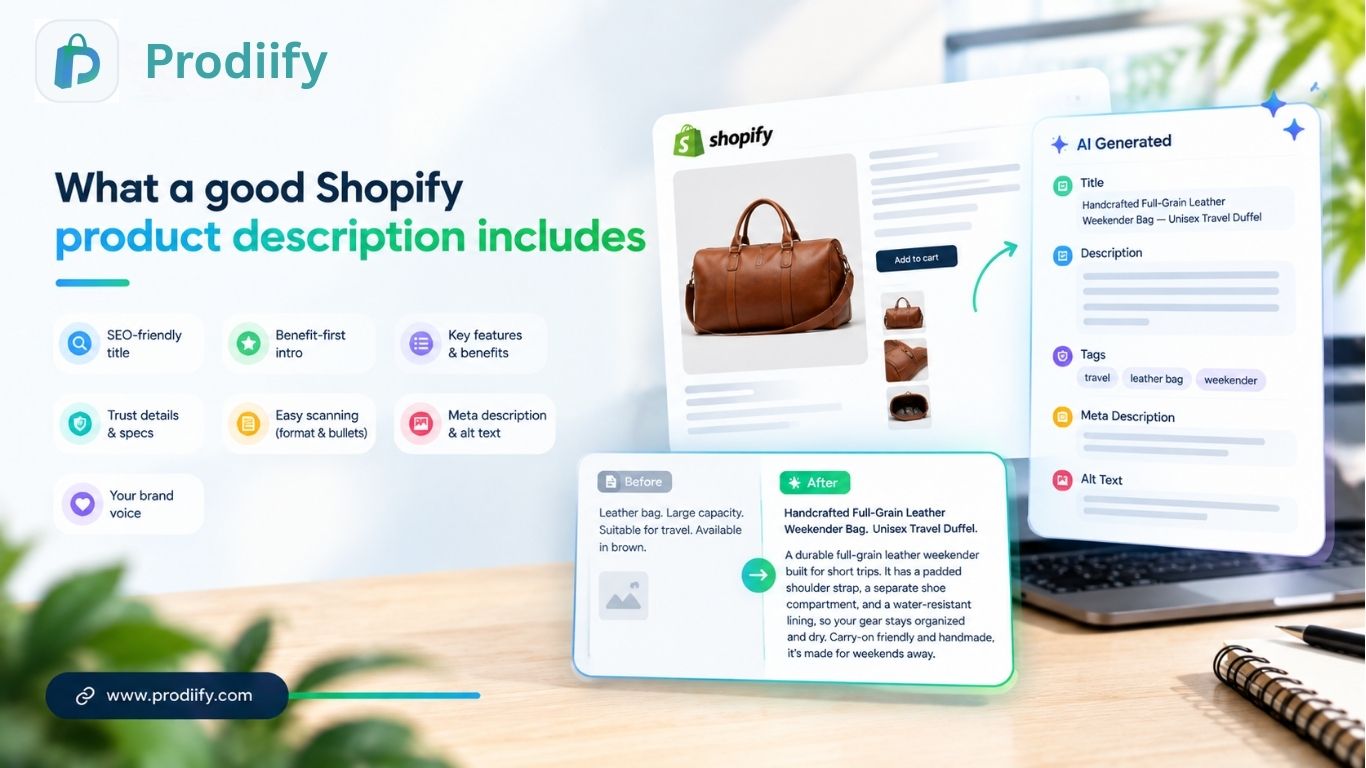
    1. A title that matches how people search. “Handcrafted Full-Grain Leather Weekender Bag” beats “Bag 04.” Put the main keyword near the front and keep it readable.

    2. A first line that leads with the benefit. Don’t open with specs. Open with what the product does for the buyer. “Pack a long weekend in one bag” tells them more than “Made from 100% leather.”

    3. Features tied to benefits. A padded strap matters because it’s comfortable on long walks. Say so.

    4. Details that build trust. Materials, dimensions, care instructions, shipping notes. These are the answers shoppers look for before they buy.

    5. Easy scanning. Short paragraphs, a few bullets, no walls of text. Most people skim.

    6. A meta description and image alt text. These are small, but search engines read them. Skipping them leaves easy wins on the table.

    7. Your brand voice. A luxury candle brand and a skate shop shouldn’t sound alike.

    That’s a lot to do for one product. Multiply it by 200 and you can see why it never gets done.

    Three ways to write product descriptions in Shopify

    You have three realistic options. Each fits a different situation.

    Manual writingShopify’s built-in AIBulk AI generator
    SpeedSlowFaster, but one product at a timeFastest for large catalogs
    SEO extras (title, meta, tags, alt text)You do each by handMostly the description textCan cover the full set together
    Brand voiceFully yoursGeneralTuned to your store
    Best forA handful of hero productsSmall catalogs, occasional edits50+ products

    Option 1: Write them yourself

    For your best sellers and flagship products, this is still worth doing. Nobody knows your product like you do, and a personal touch shows.

    The limit is time. Writing descriptions well takes 20 to 30 minutes per product once you add research, editing, and SEO details. That works for ten products. It doesn’t work for a catalog of hundreds.

    Option 2: Shopify’s built-in AI tools

    Shopify includes AI features inside the admin that can draft a description from a product title and a few details. It’s a handy starting point if you only need to fill in a few pages.

    Check how it handles volume before you rely on it. If you’re updating a large catalog, you’ll want to see whether you can run many products at once and whether it also handles your meta descriptions, tags, and alt text. Shopify changes these features often, so confirm the current behavior in your own admin.

    Option 3: A bulk AI product description generator

    This is where a dedicated app earns its keep. Instead of working product by product, you connect your store, select a group of products (or all of them), and generate the full set of SEO fields together.

    With Prodiify, for example, one pass produces the SEO title, description, tags, meta description, and image alt text for each product, written in your store’s voice. You then review, edit, and publish. The key benefit isn’t only speed. It’s that every product ends up with the same complete set of optimized fields, instead of a few great pages and a lot of leftovers.

    How to generate product descriptions in bulk (step by step)

    Here’s the process using Prodiify. The same logic applies to any tool.

    Step 1: Install and connect your store. Add the app from the Shopify App Store. It syncs with your catalog without any theme edits, so nothing on your live storefront changes until you publish.

    Step 2: Choose your products. Start with 10 to 20 of your most important pages. You can run the whole catalog later, once you’re happy with the results.

    Step 3: Generate. The tool writes an SEO title, description, tags, meta description, and alt text for each product.

    Step 4: Review and edit. This is the step people skip, and it matters most. Read every description. Check the facts, fix anything that’s off, and adjust the tone where needed.

    Step 5: Publish. Push the approved content straight to your store. Then move on to the next batch.

    [Add screenshots of the dashboard, the generate screen, and the published result here.]

    Before and after: what changes

    Here’s the kind of difference you should expect. Take a leather travel bag with a supplier description like this:

    “Leather bag. Large capacity. Suitable for travel. Available in brown.”

    An SEO-ready rewrite could read:

    Handcrafted Full-Grain Leather Weekender Bag, Unisex Travel Duffel
    A durable full-grain leather weekender built for short trips. It has a padded shoulder strap, a separate shoe compartment, and a water-resistant lining, so your gear stays organized and dry. Carry-on friendly and handmade, it’s made for weekends away.

    The second version uses the search terms shoppers actually use (“leather weekender bag,” “travel duffel”), answers real questions (Where do my shoes go? Will it get wet?), and gives search engines something specific to index.

    Mistakes to avoid when using AI for product descriptions

    AI speeds up the writing. It doesn’t replace your judgment. Watch for these:

    • Publishing without editing. AI can get a detail wrong, like a material or a size. A wrong fact costs you returns and trust.
    • Every product sounding the same. If ten descriptions share one structure and the same phrases, that reads as templated. Vary your inputs and edit.
    • Keyword stuffing. Repeating a phrase five times doesn’t help. Write for the shopper first.
    • Ignoring your voice. Add a sentence or two of brand personality where it fits.
    • Forgetting the rest of the page. A good description works best alongside strong images and clear pricing. For richer layouts, see how A+ content on Shopify can extend your product pages.

    Make descriptions work for AI search too

    Shoppers now ask tools like ChatGPT, Gemini, and Perplexity what to buy. Those tools pull from clear, specific, well-structured product information. A description that spells out materials, use cases, and who the product is for is easier for them to understand and recommend. We go deeper on this in our guide to Shopify AI search optimization.

    FAQs About Shopify Product Description Generator

    1.Are AI-generated product descriptions bad for SEO?
    Not by themselves. Google’s guidance focuses on whether content is helpful, not on how it was produced. Generic, inaccurate, or copied text is the risk. Reviewed, accurate, specific copy is fine.

    2.How do I update product descriptions in bulk on Shopify?
    You can edit products one at a time in the admin, import changes through a CSV file, or use an app that generates and publishes descriptions for many products at once.

    3.How long should a product description be?
    Long enough to answer the buyer’s questions. For many products that’s 100 to 300 words. Complex or high-priced items can go longer.

    4.Should I write my own descriptions or use AI?
    Use both. Write your flagship products yourself and use AI to cover the rest of the catalog, then edit everything before you publish.

    5.Do I need to rewrite supplier descriptions?
    Yes, if you want those pages to rank. Identical text used across many stores gives search engines no reason to prefer yours.

    Shopify Product Description Generator- Create Persuasive Product Descriptions Fast

    Your product descriptions shouldn’t be the thing that holds your store back. Write your best sellers by hand, use a bulk generator for the rest, and always review before you publish. Do that, and every page in your catalog gets a real chance to rank and convert.

    Ready to fix your whole catalog? Install Prodiify free and generate SEO-ready descriptions, meta tags, and alt text in one pass.

  • Enhanced Product Descriptions for Shopify- How to Add Them

    Enhanced Product Descriptions for Shopify- How to Add Them

    Enhanced Product Descriptions for Shopify | Prodiify MediaXL

    If you’ve compared your product pages to a competitor’s and felt like theirs looked more “finished,” the difference usually comes down to one thing: an enhanced product descriptions versus a plain one. Here’s what an enhanced product descriptions actually is, why it outperforms a standard block of text, and how to add one to your Shopify store without hiring a developer.

    What Is an Enhanced Product Description?

    A standard Shopify product description is a single block of text, sometimes paired with a basic image gallery. An enhanced product descriptions goes further — it’s built from structured, visual sections: feature breakdowns, image galleries, comparison-style layouts, banners, and sometimes embedded video, arranged to make the product page easier to scan and more persuasive to read.

    This is the same underlying idea as what Amazon calls A+ Content, but for Shopify, it usually needs to be added through a dedicated app rather than a native platform feature, since Shopify’s default product template doesn’t include it.

    Why an Enhanced Product Description Outperforms Plain Text

    Shoppers scan before they read. Most visitors skim a product page rather than reading every line — an enhanced product description is built for scanning, with visual hierarchy that surfaces the key points in seconds instead of requiring a shopper to read a full paragraph to find them.

    It replaces claims with visual proof. “Durable” and “true to size” are claims. A feature callout with a labeled photo, or a short video showing the product in use, is proof — and proof consistently builds more confidence than text alone, especially for higher-consideration purchases.

    It signals a more established brand. A product page built entirely from a single plain paragraph reads as unfinished, even when the product itself is good. An enhanced product description — with clean structure, imagery, and clear sections — signals credibility before a shopper reads a single word.

    It pre-empts objections. A well-built enhanced product description can answer sizing, material, and compatibility questions directly on the page, reducing the number of shoppers who leave to search for answers elsewhere and never come back.

    Why Most Shopify Stores Don’t Have This

    It’s not a lack of awareness — it’s that Shopify doesn’t offer a built-in way to build an enhanced product description. Most stores end up with one of two workarounds:

    1. Custom theme development — a developer builds rich sections directly into the product template. Effective, but slow and expensive to set up and to change later.
    2. Going without — the default for most small and mid-sized Shopify stores, simply because a developer-built solution isn’t accessible or affordable for every catalog.

    How to Add an Enhanced Product Descriptions to Shopify (No Developer Needed)

    This is exactly the gap Prodiify’s MediaXL feature is built to close. Instead of custom theme work, MediaXL gives you six ready-made, drag-and-drop blocks you can add directly to any product page:

    • Image + Text — pair a photo with a focused message
    • Gallery — show multiple angles, variants, or use cases
    • Feature List — break specs and benefits into a scannable layout
    • Banner / Hero — highlight one key selling point in a full-width section
    • Video — embed a product demo or lifestyle clip
    • Carousel — rotate through multiple images or messages in a compact space

    Everything is managed from the Prodiify dashboard inside Shopify admin — no theme file edits, no code, and no design team required. Every block is fully responsive by default.

    A Simple Way to Build Your First Enhanced Product Descriptions

    1. Pick one of your best-selling products — this is where a conversion improvement has the most immediate impact
    2. Start with a Banner/Hero block to hook attention with your single strongest selling point
    3. Add an Image + Text or Feature List block to explain the details that matter most
    4. Add a Gallery if the product benefits from showing multiple angles or variants
    5. Publish and compare conversion rate on that page over the following few weeks against a similar, unchanged product

    Three to four well-chosen blocks is usually enough — an enhanced product description works best when it’s scannable, not when every available block is crammed onto the page.

    Enhanced Product Descriptions and SEO: Different Jobs, Same Page

    It’s worth keeping these separate in your head: SEO (unique titles, descriptions, meta tags, alt text) is what helps a shopper find your page in the first place. An enhanced product descriptions is what helps convince them to buy once they’re there. A store investing in only one of the two is leaving real, measurable performance on the table — Prodiify’s AI SEO tools and MediaXL are built to work together for exactly this reason.

    Conclusion

    An enhanced product descriptions isn’t a cosmetic upgrade — it’s a structural change in how a shopper processes information on your page, and it consistently outperforms plain text for the products where it’s been tested. Shopify stores don’t need a developer or a full redesign to add one; starting with a handful of top-selling products through a tool like Prodiify’s MediaXL is enough to see whether it moves your numbers before rolling it out further.

    Want to build your first enhanced product description without a developer? Try Prodiify free on the Shopify App Store.

    FAQs- About Enhanced Product Descriptions for Shopify

    1.What is an enhanced product description on Shopify?

    An enhanced product description is a rich, visual version of a standard product description — built from structured sections like image galleries, feature lists, and banners, rather than a single block of text. It’s similar in concept to Amazon’s A+ Content.

    2.Does Shopify have a built-in enhanced product description feature?

    No. Shopify’s default product page is a plain text description and basic image gallery. Adding an enhanced product description requires either custom theme development or a dedicated app, such as Prodiify’s MediaXL.

    3.Do I need a developer to add an enhanced product description to my store?

    No — tools like Prodiify MediaXL are drag-and-drop, so you can build an enhanced product description directly from the app dashboard with no coding or theme file access required.

    4.Will an enhanced product description actually improve my conversion rate?

    Results vary by product and audience, but structured, visual content consistently outperforms plain text at building the trust and clarity that lead to a purchase. Testing it on a handful of top-selling products first gives you a store-specific read on impact.

    5.Should every product on my store have an enhanced product description?

    Not necessarily right away — starting with your best-selling or highest-traffic products is a practical way to test the impact before deciding whether to roll it out across your full catalog.

    6.Is an enhanced product description the same thing as good SEO?

    No — they solve different problems. SEO (titles, meta tags, alt text) helps a shopper find your page. An enhanced product description helps convince them to buy once they’ve arrived. Both matter, and ideally work together.