Author: Prodiify320502@user

  • Shopify SEO Checklist 2027- 25 Steps to Get More Traffic

    Shopify SEO Checklist 2027- 25 Steps to Get More Traffic

    Shopify SEO Checklist for Beginners- Fix These 25 Things First

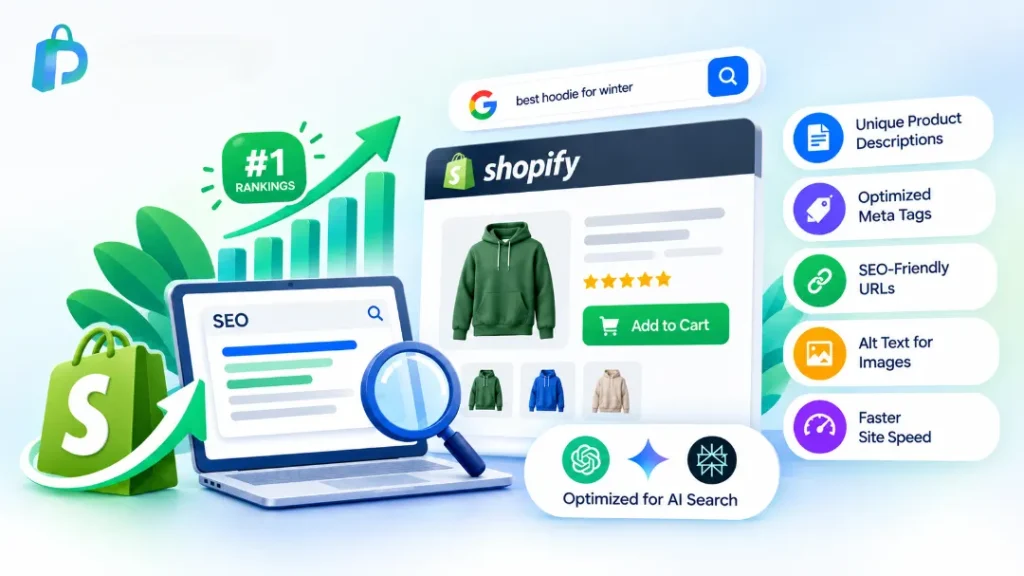
    Shopify SEO Checklist – Shopify is a solid platform for search. It gives you editable titles, meta descriptions and an automatic sitemap. But good Shopify SEO optimization still depends on what you do with those basics. Rankings come from five areas working together: technical setup, keyword research, product and collection pages, content, and links.

    Work through the steps in order. Technical fixes come first because they are quick and they unblock everything else.

    Technical SEO Checklist for Shopify

    Technical SEO makes sure Google can find, crawl and understand your store. If this layer is broken, great content will not help.

    1. Remove password protection. A locked store cannot be crawled or indexed, so nothing ranks.

    2. Submit your sitemap in Google Search Console. Shopify creates the sitemap automatically. Submitting it helps Google discover your pages faster.

    3. Check indexation. Search site:prodiify.com and confirm your key products and collections show up.

    4. Use one domain version. Choose www or non-www and redirect the other, so ranking signals are not split.

    5. Fix broken links and 404 pages. They waste crawl time and frustrate shoppers.

    6. Set up 301 redirects. When you delete or rename a product, redirect the old URL. Otherwise you lose the rankings that page earned.

    7. Improve mobile page speed. Most shoppers browse on phones, and slow pages lose both rankings and sales. Compress images, use a lightweight theme and remove unused apps. Google PageSpeed Insights is free.

    Technical issues are the easiest to get wrong. A bad redirect or a blocked page can quietly drop your traffic. [BRAND] runs a full Shopify SEO audit and sends you a prioritized fix list. [Book your audit →]
    Shopify SEO Checklist 2027- 25 Steps to Get More Traffic

    Keyword Research for Shopify Stores

    Keyword research decides which searches you compete for. Skipping it is the most common reason stores publish a lot and rank for nothing.

    8. List what customers search for. Think product names, problems they want solved and comparison searches.

    9. Give each page one main keyword. Two pages targeting the same keyword end up competing with each other.

    10. Study what already ranks. Google your keyword, see which pages win and understand why. Also note the “People also ask” questions and answer them on your page.

    Not sure which keywords are worth chasing? [BRAND] builds a keyword plan based on your store and your competitors. [Talk to us →]

    Product Page SEO

    Product pages are where sales happen, so on-page SEO here pays off fastest.

    11. Write a unique title and meta description. Include your keyword and a clear benefit so people want to click.

    12. Write original product descriptions. Supplier copy is used by dozens of stores, which gives Google no reason to rank yours.

    13. Add alt text to every image. Describe what the image shows in plain words. It helps accessibility and image search.

    14. Show price, availability and reviews clearly. Shoppers and search engines both look for these details.

    15. Add schema markup. Structured data makes you eligible for rich results such as star ratings and price. Check what your theme already includes before adding more.

    16. Add a short FAQ to top products. Answer questions about size, shipping, materials and returns.

    Collection Page SEO

    Collection pages often rank for broad, high-value searches, yet many stores leave them empty.

    17. Add a short intro above the products. Two or three sentences explaining the category, using your main keyword naturally.

    18. Link related collections together. It helps visitors browse and spreads authority through your store.

    19. Merge or remove thin, duplicate collections. Pages with almost no content weaken your overall store SEO.

    Hundreds of products? Doing steps 11 to 19 by hand takes weeks. [BRAND] handles this in bulk so your whole catalog is optimized consistently. [See how it works →]

    Content and Blog SEO

    Content brings in shoppers who are not ready to buy yet, and builds trust for the ones who are.

    20. Publish buying guides. Posts like “best X for Y” and “how to choose X” reach people early in their search.

    21. Link blog posts to products and collections. This sends traffic and relevance to pages that sell.

    22. Refresh old posts. Update facts, add a “last updated” date and improve posts that are slipping.

    Links and Trust Signals

    23. Earn mentions. Get listed in relevant directories, roundups and communities. Avoid spammy paid links, which can hurt you.

    24. Collect customer reviews. Reviews build trust and keep your product pages fresh.

    Tracking Your Shopify SEO

    25. Connect Google Search Console and Analytics, and review monthly. Start with pages that get many impressions but few clicks, and improve their titles and descriptions first.

    Why Most Store Owners Get Stuck With Shopify SEO

    Most stores do not fail because they do not know the steps. They get stuck because of:

    • Time: doing SEO alongside running the business
    • Prioritization: not knowing which fixes move rankings first
    • Risk: a wrong redirect or duplicate schema can undo months of work

    If that sounds familiar, Shopify SEO services can save you a lot of trial and error.

    [Prodiify] offers [audit / full setup / monthly SEO: pick what you actually sell].
    [One line of proof, only if true: e.g. "We helped [store type] grow organic traffic by [X]% in [Y] months."]
    [Get a free store review →]

    Your Shopify SEO Checklist Action Plan

    Start with the technical basics (steps 1 to 7), then improve your product and collection pages, then build content and links. Small, consistent steps beat one big overhaul, and revisiting this Shopify SEO checklist every quarter keeps your store moving up.

    Prefer to focus on running your business? [BRAND] can handle it for you. [Get your free store review →]

    FAQs About Shopify SEO Checklist

    1.What is a Shopify SEO checklist?
    It is a step-by-step list of the technical, on-page, content and link tasks that help your Shopify store rank higher on Google.

    2.Is Shopify good for SEO?
    Yes, it covers the basics well, including editable titles, meta descriptions and sitemaps. You still need keyword research, good content and links.

    3.How do I improve SEO on my Shopify store?
    Follow the checklist above in order: fix technical issues first, then optimize product and collection pages, then publish helpful content and earn links.

    4.How long does Shopify SEO take to work?
    Often a few months to see steady movement, depending on your competition and starting point.

    5.Do I need an app for Shopify SEO?
    Not to start. Shopify handles the basics, and Search Console and PageSpeed Insights are free. Apps help with bulk edits and audits. See our SEO apps guide.

    6.What should I fix first?
    Steps 1 to 7, the technical basics. Problems there can block everything else.

    7.Should I hire a Shopify SEO expert or do it myself?
    DIY works if you have the time. If you would rather focus on the business, [Prodiify] can take it on.
  • Prodiify MediaXL- Bring Amazon-Style A+ Content for Shopify Store

    Prodiify MediaXL- Bring Amazon-Style A+ Content for Shopify Store

    The Problem- Shopify Merchants Have Been Missing A+ Content

    A+ Content for Shopify – If you’ve sold on Amazon, you already know what A+ Content (Enhanced Brand Content / EBC) does for conversions — comparison charts, hero banners, feature grids, and video modules that turn a flat listing into an immersive brand story. Walmart sellers get a similar advantage through Rich Content, published via approved solution providers.

    Shopify merchants? Until recently, they’ve had none of this — just a plain description box and maybe a few manually-coded HTML blocks. That gap is exactly what Prodiify MediaXL was built to close.

    What Is A+ Content, and Why Does It Matter?

    A+ Content (also called Rich Media or Below-the-Fold content on Amazon) is interactive, visually rich product content — high-quality images, videos, comparison tables, and feature callouts — that sits below the standard product title and price. On Amazon, sellers who use it typically see conversion lifts in the range of 12–36%, according to marketplace data. Walmart’s version works the same way but has traditionally required a third-party solution provider to publish, since Walmart doesn’t support native EBC uploads.

    Shopify stores, meanwhile, have relied on generic theme sections or expensive custom development to achieve anything close to this experience.

    Introducing Prodiify MediaXL — A+ Content, Built for Shopify

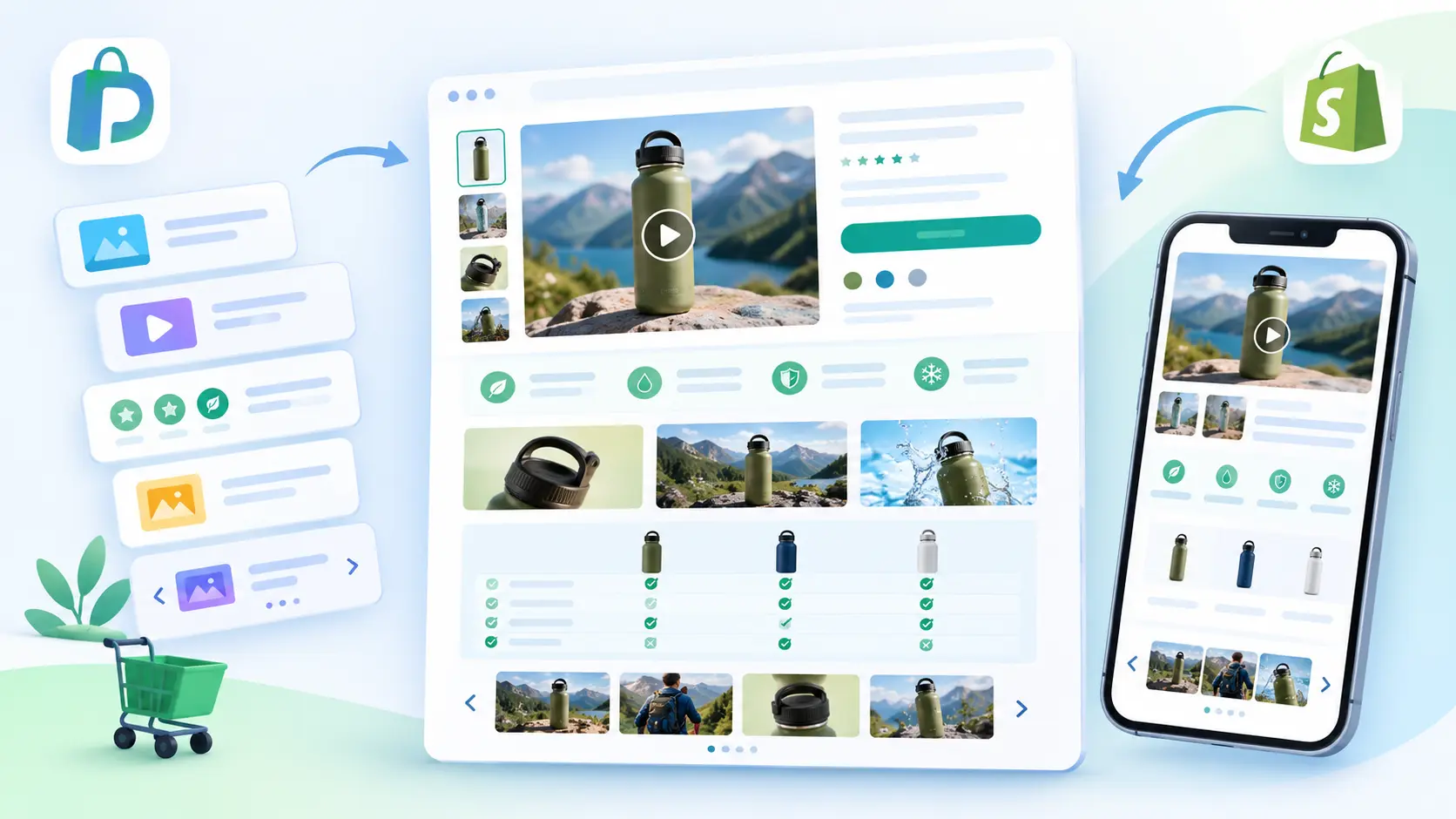
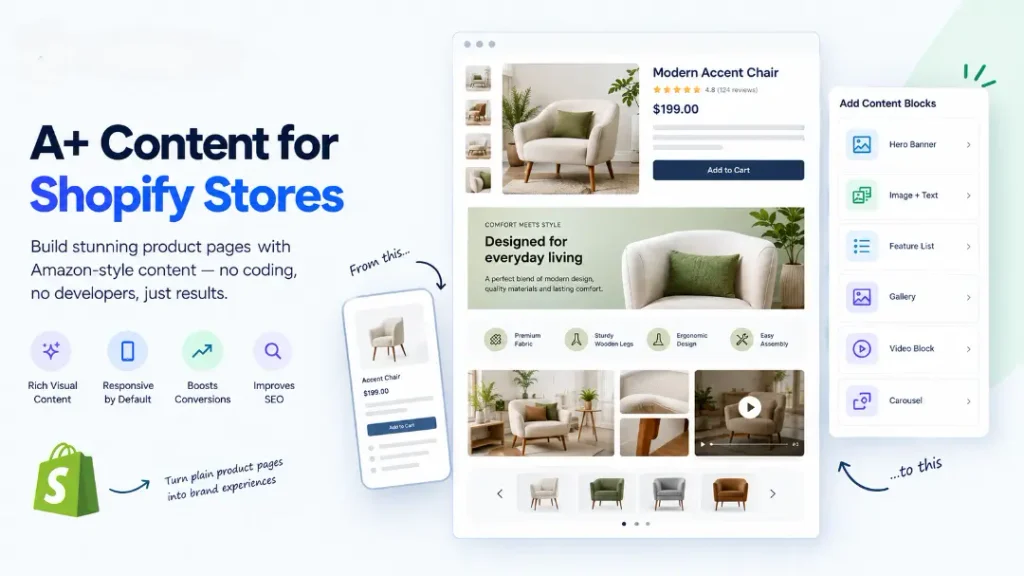
    Prodiify MediaXL is the Shopify-native answer to Amazon A+ Content and Walmart Rich Content. It lets any merchant build rich, conversion-focused product pages directly inside the Shopify admin — no coding, no developer, no separate app.

    Content Blocks Included

    • Hero Banner — full-width brand storytelling above the fold
    • Image + Text — classic A+-style feature explanations
    • Feature List — icon-based benefit breakdowns
    • Gallery — multi-image lifestyle and detail shots
    • Video Block — embedded product demos
    • Carousel — swipeable, mobile-friendly content rows

    Every block is responsive by default, so product pages look just as strong on mobile as they do on desktop — something Amazon’s own Mobile EBC view had to be specifically engineered for.

    Comparison of Amazon A+ Content, Walmart Rich Content and Shopify MediaXL
    See how Prodiify MediaXL compares to Amazon A+ Content and Walmart Rich Content

    How Prodiify MediaXL Compares to Amazon A+ and Walmart Rich Content

    Amazon A+ ContentWalmart Rich ContentProdiify MediaXL
    PlatformAmazon Seller CentralRequires approved partner (e.g. Optiwise.ai)Native Shopify app
    SetupManual module builderAuto-import or manualDrag-and-drop blocks
    Mobile supportSeparate Mobile EBC viewLimitedResponsive by default
    Cost to startFree (Amazon-hosted)2 free EBC via partnersFree plan available
    SEO benefitAmazon internal onlyWalmart internal onlyBoosts on-page SEO for Google + AI search

    The key difference: A+ Content and Rich Content are marketplace-locked — they only work inside Amazon or Walmart’s ecosystem. Prodiify MediaXL content lives on your own Shopify store, which means it also contributes to your store’s actual SEO — something marketplace A+ content can never do for you.

    Why This Matters for Conversion Rate Optimization

    Rich product content isn’t just about looking polished. It:

    • Reduces return rates by setting clearer expectations
    • Builds brand trust through consistent visual storytelling
    • Increases average time-on-page (a positive SEO signal)
    • Gives merchants a way to answer objections before checkout, without relying on live chat

    Combined with Prodiify’s AI SEO Optimizer — which handles titles, descriptions, tags, and meta content — MediaXL completes the picture: AI-optimized text + rich visual content, in one Shopify app.

    How to Get Started with Prodiify MediaXL

    1. Install Prodiify from the Shopify App Store
    2. Select a product from your catalog
    3. Choose from six ready-made content blocks
    4. Customize images, text, and layout
    5. Publish — your product page updates instantly

    The Free plan includes A+ Content for up to 5 products, so you can test the experience before upgrading.

    FAQs About A+ Content for Shopify Stores

    1.What is Prodiify MediaXL?

    Prodiify MediaXL is a Shopify app feature that lets merchants build Amazon-style A+ Content and Walmart-style Rich Content directly on their Shopify product pages, using ready-made visual blocks.

    2.Is there a free plan?

    Yes — Prodiify’s Free plan includes MediaXL content for up to 5 products, alongside basic AI SEO credits.

    3.How is this different from a Shopify theme section?

    Theme sections are usually static and require developer edits. MediaXL blocks are built for product-level rich content, editable per product, with no coding required.

    4.Does rich content help SEO?

    Yes. Unlike Amazon A+ Content or Walmart Rich Content — which stay locked inside those marketplaces — MediaXL content lives on your own Shopify domain, so it’s indexable by Google and contributes to your store’s overall SEO.

    5.Do I need design skills to use MediaXL?

    No. The blocks are pre-built — you add your images, text, and video, and the layout is handled automatically.

  • Shopify AI Search Optimization- How to Get Your Products Discovered on ChatGPT

    Shopify AI Search Optimization- How to Get Your Products Discovered on ChatGPT

    Online shoppers are changing the way they search for products. Instead of typing short keywords into Google, many people now ask AI tools such as ChatGPT, Gemini, and Perplexity detailed questions and expect a direct recommendation.

    For Shopify store owners, this creates a new opportunity: making products easier for AI systems to understand, find, and potentially recommend.

    This is where Shopify AI Search Optimization comes in.

    The goal isn’t to replace traditional SEO. Instead, it’s about making your product information clear, specific, accurate, and structured enough for both traditional search engines and AI-powered search experiences to understand.

    What Is Shopify AI Search Optimization?

    Shopify AI Search Optimization is the process of improving your Shopify product content so AI-powered search tools can better understand what your products are, what they offer, and which shoppers they are relevant to.

    For example, imagine someone asks:

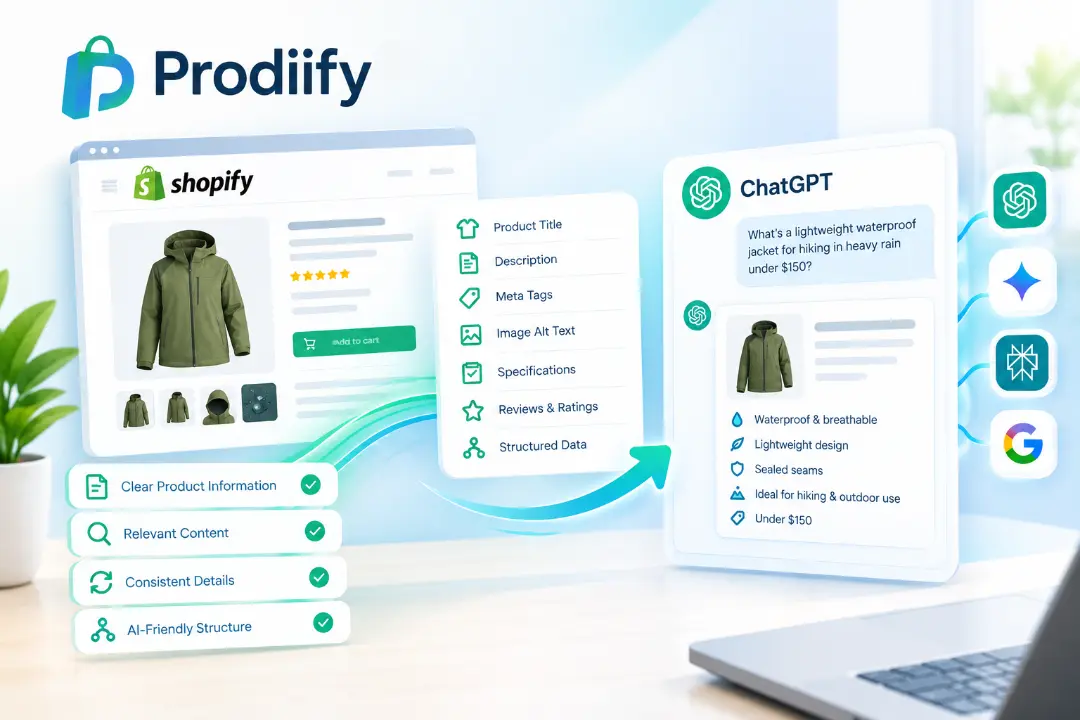
    “What’s a lightweight waterproof jacket for hiking in heavy rain under $150?”

    A generic product description such as “Premium high-quality waterproof jacket” provides very little useful information.

    A more specific description could explain that the jacket is designed for hiking, has a waterproof shell, sealed seams, a lightweight construction, and is suitable for heavy rain.

    The second version gives search systems much more context to work with.

    How AI Search Differs From Traditional Google Search

    Traditional Google SEO focuses heavily on helping pages appear for relevant search queries.

    AI search works differently. Tools such as ChatGPT can interpret a question, analyze available information, and generate a conversational response.

    That means product content needs to provide clear information about:

    • What the product is
    • Who it is designed for
    • Key features and specifications
    • Materials and dimensions
    • Common use cases
    • Important limitations
    • Price and availability
    • Questions shoppers may have

    The fundamentals are still similar to good SEO: useful, accurate, relevant content matters.

    5 Ways to Optimize Shopify Products for AI Search

    1. Create Specific Product Descriptions

    Avoid descriptions that rely entirely on generic phrases such as “premium,” “high quality,” or “best product.”

    Instead, explain what makes the product useful.

    For example:

    Generic:

    “High-quality insulated water bottle.”

    Specific:

    “Double-wall insulated stainless steel bottle designed to keep drinks cold for up to 24 hours and hot for up to 12 hours.”

    Specific product information gives AI systems more meaningful details to interpret.

    2. Answer Product Questions Directly

    Think about the questions a customer would ask before purchasing.

    For example:

    • Is the product waterproof?
    • What material is it made from?
    • What size should I choose?
    • Is it suitable for outdoor use?
    • How long does the battery last?
    • Does it work with other devices?
    • What is included in the package?

    Adding clear answers to your product page or FAQ section can make the content more useful for both shoppers and search systems.

    3. Use Product Structured Data

    Structured data helps search engines understand important product information in a standardized format.

    Depending on your store and implementation, product structured data can communicate information such as:

    • Product name
    • Price
    • Availability
    • Brand
    • SKU
    • Reviews
    • Ratings
    • Product condition

    For Shopify stores, maintaining accurate product information and appropriate structured data can support better understanding of your catalog.

    4. Keep Product Information Consistent

    Consistency matters across your Shopify store.

    Your product title, description, specifications, images, structured data, and other product information should not contradict one another.

    For example, if the product description says “waterproof” but the specifications say “water-resistant,” shoppers and search systems may receive conflicting information.

    Review your catalog regularly to keep important product attributes accurate and consistent.

    5. Create Helpful Content Around Your Products

    Your product pages aren’t the only content that can help your products become discoverable.

    Consider creating:

    • Buying guides
    • Product comparisons
    • How-to articles
    • Product FAQs
    • Use-case guides
    • Category guides
    • Educational blog posts

    For example, a Shopify store selling hiking equipment could publish:

    “How to Choose a Waterproof Hiking Jacket for Heavy Rain”

    A useful article can provide additional context around the products you sell and create more opportunities for your brand to appear across search experiences.

    How to Get Shopify Products on ChatGPT

    If you’re specifically interested in getting Shopify products on ChatGPT, start with the fundamentals.

    ChatGPT and other AI systems need enough reliable information to understand your products.

    Make sure your product pages clearly communicate:

    Product → Features → Use case → Audience → Specifications → Benefits → Purchase information

    For example, instead of simply saying:

    “Premium running shoes for active people.”

    Explain what the shoes are designed for, their construction, intended running environment, cushioning characteristics, available sizes, and other relevant specifications.

    The more useful and specific the information, the easier it is for systems to interpret the product.

    However, optimization does not guarantee that an AI tool will recommend a particular product. AI-generated results can depend on the query, available information, product relevance, sources, location, and other factors.

    Do You Need a Separate AI SEO Strategy?

    Not necessarily.

    A strong Shopify SEO foundation already includes many of the same principles needed for AI search:

    • Helpful content
    • Clear product information
    • Accurate specifications
    • Logical site structure
    • Relevant internal links
    • Structured data
    • Good user experience
    • Consistent product information

    Shopify AI Search Optimization should therefore complement your existing SEO rather than replace it.

    What About Keyword Stuffing?

    Adding the same keyword repeatedly isn’t the goal.

    Instead of writing a product description just to include phrases like “Shopify AI Search Optimization” or “Shopify products on ChatGPT,” focus on explaining the actual product clearly.

    Natural language gives shoppers useful information while providing search systems with meaningful context.

    How Prodiify Helps Shopify Stores

    Optimizing one product manually is manageable.

    Optimizing hundreds or thousands of products is a different challenge.

    Titles need to be unique. Descriptions need to be specific. Meta tags need to stay aligned with the page. Image alt text needs to describe the images accurately. Product information also needs to remain consistent across the catalog.

    Prodiify helps Shopify merchants optimize their product catalogs with AI-generated SEO content, including product titles, descriptions, meta tags, and image alt text.

    It also supports MediaXL A+ Content for Shopify stores that want to create richer product experiences.

    By combining catalog-level SEO optimization with AI search considerations, Prodiify helps merchants build product content that is easier for both shoppers and search systems to understand.

    FAQs-About Shopify AI Search Optimization

    1.Can ChatGPT recommend Shopify products?

    AI tools can provide product recommendations when they have access to relevant information and the product matches the user’s query. However, optimizing a product page does not guarantee that ChatGPT or another AI system will recommend it.

    2.How do I optimize Shopify products for ChatGPT?

    Start with detailed and accurate product descriptions, clear specifications, useful FAQs, structured product information, and consistent information throughout your store.

    3.Is Shopify AI Search Optimization different from traditional SEO?

    There is significant overlap. Both benefit from useful, accurate, specific, and well-structured content. AI search adds greater emphasis on making information easy for AI systems to interpret and use in conversational answers.

    4.Should I focus on Google or AI search?

    You don’t have to choose one. Traditional search and AI search can be addressed together by creating useful product content, maintaining technical SEO, and keeping product information accurate.

    5.Can Prodiify optimize an entire Shopify catalog?

    Prodiify is designed to help Shopify merchants generate and optimize product titles, descriptions, meta tags, and image alt text across their catalog, helping reduce the manual work involved in large-scale product optimization.

    Get Shopify Products on ChatGPT With Better AI Search Optimization

    The future of ecommerce search isn’t limited to a single search box.

    Customers may discover products through Google, ChatGPT, Gemini, Perplexity, social platforms, marketplaces, and other digital experiences.

    For Shopify merchants, the practical response is to make product information specific, useful, accurate, and easy to understand.

    That is the foundation of effective Shopify AI Search Optimization and a key step toward improving how your Shopify products on ChatGPT and other AI-powered search experiences can be understood.

    Want to optimize your Shopify catalog for SEO and AI search? Try Prodiify and streamline product optimization across your store.

    Want your catalog optimized for both Google and AI search?

    Try Prodiify free on the Shopify App Store.

  • What Is A+ Content and How to Add It on Shopify

    What Is A+ Content and How to Add It on Shopify

    If you’ve ever sold on Amazon, you’ve probably seen A+ Content in action — those rich, visual sections below a product’s basic description with comparison charts, lifestyle photo galleries, and feature callouts. It’s one of the most effective tools brands use to turn browsers into buyers.

    The catch: Shopify doesn’t offer anything like it natively. Here’s what A+ Content actually is, why it works, and how to bring the same experience to your Shopify store.

    What Is A+ Content?

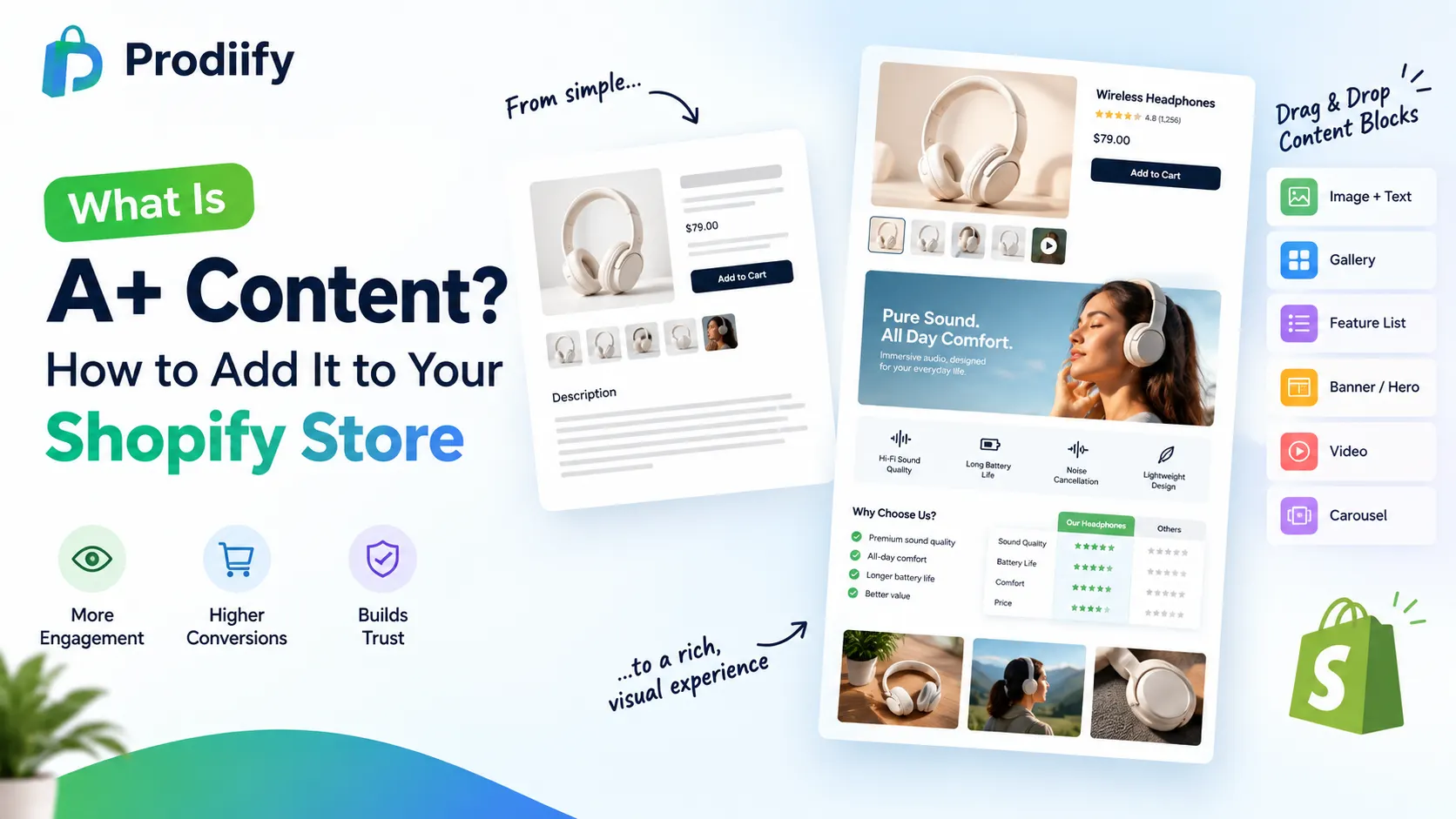
    A+ Content (also called Enhanced Brand Content, or “Rich Media” on platforms like Walmart) is a set of visual, modular content blocks brands add to a product listing beyond the standard title, bullet points, and description. Instead of a wall of text, shoppers see things like:

    • Side-by-side comparison charts of product variants or against competitors
    • Lifestyle photo galleries showing the product in real use
    • Feature callouts with icons and short, benefit-driven copy
    • Embedded product videos
    • Full-width banners highlighting a key selling point

    The goal is simple: give shoppers who are already interested enough information, visually, that they don’t need to leave the page to make a decision.

    Why A+ Content Works

    Standard product pages rely on shoppers reading a block of text to understand what makes a product worth buying. A+ Content replaces reading with scanning — visual hierarchy, imagery, and short callouts communicate the same information faster and more persuasively. For a shopper who’s already on the fence, that difference often decides whether they buy or bounce.

    It also builds trust. A well-designed, richly detailed product page signals a more established, credible brand than a page with a single paragraph and a photo grid — even if the underlying product is identical.

    The Problem: Shopify Doesn’t Offer This Natively

    Amazon and Walmart both have built-in systems for A+ Content / Rich Media. Shopify doesn’t. Most Shopify stores are left with one of three options:

    1. A single text block and basic image gallery — the default, and the least persuasive option
    2. Custom theme development — hiring a developer to build rich sections into the product template, which is slow and expensive, and needs to be redone every time you want a new layout
    3. A dedicated app built for this purpose — the fastest way to get Amazon-style rich content without touching code
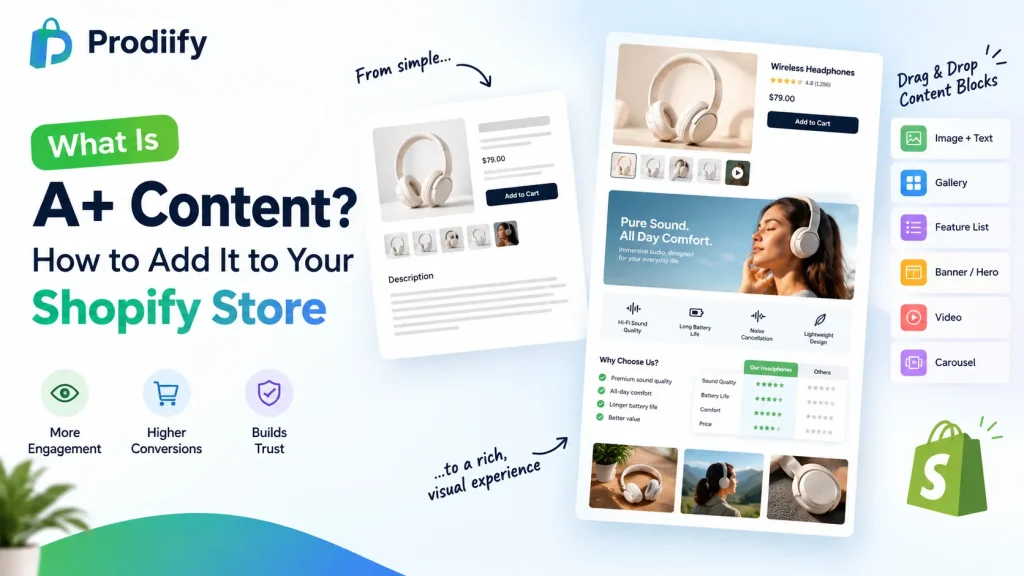
    A+ content example for Shopify product page
    A+ Content for shopify

    How to Add A+ Content to Shopify Without a Developer

    This is exactly what Prodiify’s MediaXL feature is built for. Instead of custom theme work, MediaXL gives you ready-made, drag-and-drop content blocks you can add directly to any product page:

    • Image + Text — pair a lifestyle or detail photo with a focused message
    • Gallery — showcase multiple angles, use cases, or variants in one module
    • Feature List — break down specs and benefits into a scannable visual layout
    • Banner / Hero — a full-width section for a key selling point or promotion
    • Video — embed product demos or lifestyle video directly in the listing
    • Carousel — rotate through multiple images or messages in a compact space

    Every block is fully responsive out of the box, and everything is managed from the Prodiify dashboard inside Shopify admin — no theme file edits, no code, no design team required.

    A+ Content and SEO: Two Different Jobs

    It’s worth separating these clearly: A+ Content-style visual sections help conversion — turning a visitor into a buyer once they’re already on the page. SEO (titles, descriptions, meta tags, alt text) helps discovery — getting that visitor to the page in the first place. You need both, and ideally from tools that work together rather than requiring separate apps and separate workflows. Prodiify’s MediaXL sits alongside its AI-generated SEO content for exactly this reason — so your product pages are built to be found and built to convert.

    Getting Started

    1. Connect your store — install Prodiify from the Shopify App Store; it syncs with your catalog instantly
    2. Open MediaXL on a product — choose from the six ready-made blocks and drag them into place
    3. Publish — push the rich content live in seconds, on one product or across your catalog in bulk

    Is A+ Content Right for Your Shopify Store?

    A+ Content isn’t just an Amazon feature anymore — it’s a proven pattern for turning plain product pages into ones that actually convert. Shopify stores don’t need a developer or a redesign to get it; a dedicated tool built for the job gets you there in minutes.

    Want to see what A+ style content looks like on your own Shopify product pages? Install Prodiify free on the Shopify App Store and try MediaXL on your first product.

    FAQs- About A+ Content Shopify

    1. Is A+ Content the same thing as Rich Media?

    Yes — different platforms use different names for the same concept. Amazon calls it A+ Content or Enhanced Brand Content; Walmart calls it Rich Media. The idea is the same: rich, visual modules added to a product page beyond the basic description.

    2. Does Shopify have a built-in A+ Content feature?

    No. Shopify’s default product page is a text description and image gallery. Rich, modular content requires either custom theme development or a dedicated app like Prodiify’s MediaXL.

    3. Will A+ Content actually improve my conversion rate?

    It’s a well-established pattern on Amazon and Walmart specifically because it helps undecided shoppers get the information they need without leaving the page. Results vary by store and product, but richer, more visual product pages generally perform better than plain text blocks.

    4.Do I need a developer to add rich content to my Shopify store?

    Not with a drag-and-drop tool like MediaXL — you can build and publish rich content blocks directly from the Prodiify dashboard with no coding or theme edits required.

    5.Does adding A+ Content-style sections hurt my page speed or SEO?

    Not if it’s built responsibly — MediaXL’s blocks are designed to be fully responsive and lightweight. Pair it with proper image compression and alt text (which Prodiify also generates) to keep both speed and SEO intact.

    6.Can I use A+ Content on just a few products, or does it need to be store-wide?

    You can add it to individual products or roll it out in bulk across your catalog — it doesn’t need to be all-or-nothing.

  • 10 Untapped Shopify SEO Secrets to Skyrocket Rankings in 2027

    10 Untapped Shopify SEO Secrets to Skyrocket Rankings in 2027

    Ranking a Shopify store on Google isn’t about one big trick — it’s a set of small, consistent things done right across your whole store. Here are 10 practical Shopify SEO tips that actually move the needle in 2027.

    1. Write Unique Product Descriptions for Every Product

    Never copy-paste manufacturer descriptions. Duplicate content across the web (your competitors likely used the same manufacturer copy) gives Google no reason to rank you over anyone else. Every product needs its own unique, keyword-relevant description.

    2. Optimize Your Title Tags and Meta Descriptions

    Your page title should include your primary keyword near the front, and your meta description should be a unique, compelling 150–160 character summary — not a duplicate of your product description. This directly affects click-through rate from search results.

    3. Use Descriptive URLs

    Shopify auto-generates URL handles from your product title, but you can (and should) edit them to be short and keyword-clean — /products/mens-leather-jacket instead of /products/product-482910.

    4. Add Alt Text to Every Image

    Image alt text helps Google understand what’s in your product photos and gives you a shot at ranking in Google Image search, which sends real traffic. Be specific and descriptive: navy-merino-wool-sweater-front-view.jpg, not IMG_4582.jpg.

    5. Improve Your Site Speed

    Page speed is a confirmed Google ranking factor and directly affects conversion rate. Compress images, limit unnecessary apps/scripts, and choose a lightweight Shopify theme. Test your store regularly with Google PageSpeed Insights.

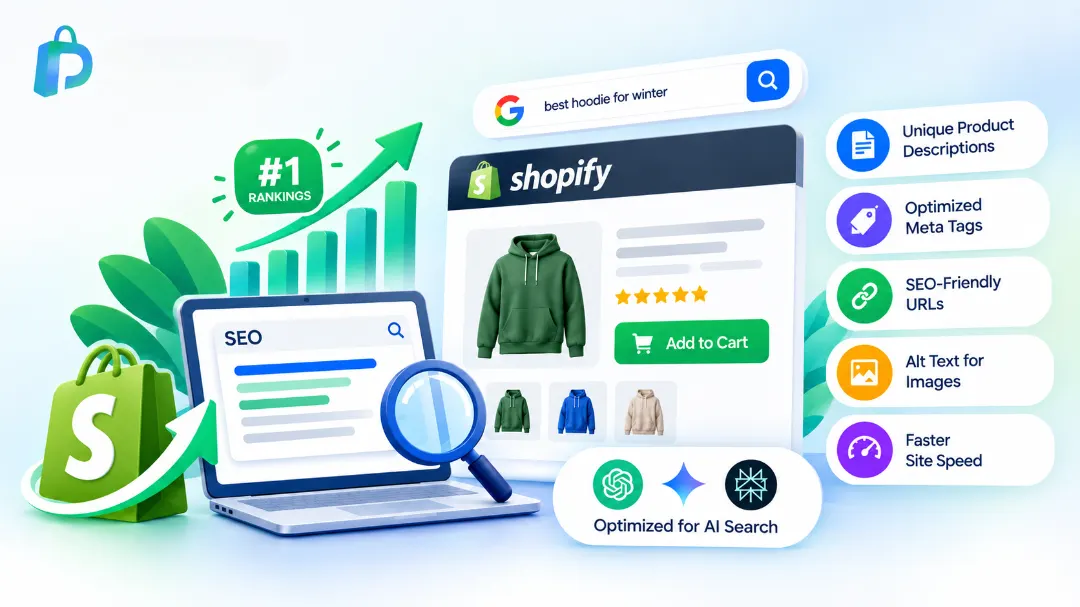
    Shopify SEO tips to rank higher in search results
    10 proven Shopify SEO tips to skyrocket your store’s rankings in 2027

    6. Fix Duplicate Content from Variants and Collections

    Shopify can create duplicate or near-duplicate pages across product variants and collections. Use canonical tags (Shopify handles most of this automatically, but check your theme) and avoid creating near-identical collection pages targeting the same keyword.

    7. Build an Internal Linking Structure

    Link related products and collections to each other naturally within descriptions and blog content. This helps Google crawl your store more effectively and keeps visitors browsing longer, which improves engagement signals.

    8. Publish Blog Content Targeting Buyer Questions

    A blog isn’t just for brand storytelling — it’s one of the best ways to rank for long-tail, buyer-intent keywords your product pages can’t target directly (“how to choose a leather jacket size,” “best fabric for humid climates”). Link blog posts back to relevant product pages.

    9. Get Listed and Reviewed

    Google factors in your store’s overall trust signals. Genuine customer reviews (with schema markup so star ratings can show in search results), and being listed in relevant directories or “best of” articles, both help.

    10. Optimize for AI Search, Not Just Google

    A growing share of shopping searches now happen inside ChatGPT, Gemini, and Perplexity. These tools rely on the same fundamentals — clear, specific, well-structured product content — to understand and recommend what you sell. Optimizing for Google SEO largely optimizes for AI search too, as long as your content is genuinely clear and specific rather than vague or keyword-stuffed.

    The Challenge- Doing This Across an Entire Catalog

    Every tip above is straightforward for one product. The real difficulty is applying all of it — consistently — across 100, 500, or 2,000 products, and keeping it up as your catalog grows. This is exactly the gap Prodiify is built to close: it generates unique, SEO-optimized titles, descriptions, meta tags, and alt text across your entire Shopify catalog automatically, so no product gets left behind.

    Ready to apply these tips across your whole store in minutes? Try Prodiify free on the Shopify App Store.

    FAQs- About Shopify SEO Tips

    1.What’s the single most important Shopify SEO tip?

    Writing unique product descriptions for every product. Duplicate or manufacturer-copied content is the most common reason Shopify stores don’t rank, and it’s the highest-impact thing to fix first.

    2.How long does it take to see results from Shopify SEO changes?

    Typically 4–12 weeks, depending on your store’s domain age, competition, and how often Google recrawls your pages. SEO is a compounding effort, not an instant fix.

    3.Does Shopify have built-in SEO tools?

    Yes — Shopify lets you edit page titles, meta descriptions, URL handles, and image alt text natively. It’s a solid foundation, but doing this well across a full catalog usually needs a dedicated SEO app or process.

    4.Is site speed really that important for SEO?

    Yes, it’s a confirmed Google ranking factor, and it directly affects conversion rate too — slow pages lose both rankings and sales.

    5.Do I need a blog for Shopify SEO to work?

    Not strictly, but a blog is one of the best ways to rank for long-tail, buyer-intent keywords that product pages alone can’t target, and it strengthens your site’s overall topical relevance.

    6.Should I optimize for ChatGPT and AI search separately from Google?

    Not as a separate strategy — the same fundamentals (specific, clear, well-structured content) tend to help with both, so optimizing well for Google largely optimizes for AI search too.

  • Introducing Prodiify- AI SEO App for Your Entire Shopify Catalog

    Introducing Prodiify- AI SEO App for Your Entire Shopify Catalog

    we’re launching Prodiify — an AI SEO App tool built specifically for Shopify stores. It’s live now on the Shopify App Store, with a free plan so you can try it on your own catalog right away.

    The Problem We Built Prodiify to Solve

    Talk to almost any Shopify merchant and you’ll hear a version of the same story: they spend real money and time bringing traffic to their store — ads, influencers, content marketing — and almost none of it goes toward the page that traffic actually lands on: the product page itself.

    It’s not that merchants don’t know SEO matters. It’s that writing a genuinely unique, keyword-optimized title, description, meta tag, and alt text for every single product — and keeping it updated as the catalog grows — simply doesn’t scale by hand. A single well-written product description can take 15–20 minutes to do properly. At 300 products, that’s over 80 hours of work most stores never get around to.

    The result: copy-pasted manufacturer descriptions, empty image alt text, and generic auto-generated titles that give search engines no real reason to rank the page.

    Search Has Also Changed

    This gap has gotten wider recently. A growing share of shopping searches now happen inside AI tools like ChatGPT, Gemini, and Perplexity, where shoppers ask direct questions — “what’s a good waterproof hiking jacket under $150” — and get a conversational answer. These tools need the same thing Google does to work: clear, specific, well-structured product content. A vague or generic product page is just as invisible to an AI assistant as it is to a search engine.

    So the SEO bar has effectively gone up. It’s no longer just about ranking on page one of Google — it’s about being understandable and recommendable by both traditional search and AI search at once.

    What Prodiify Does

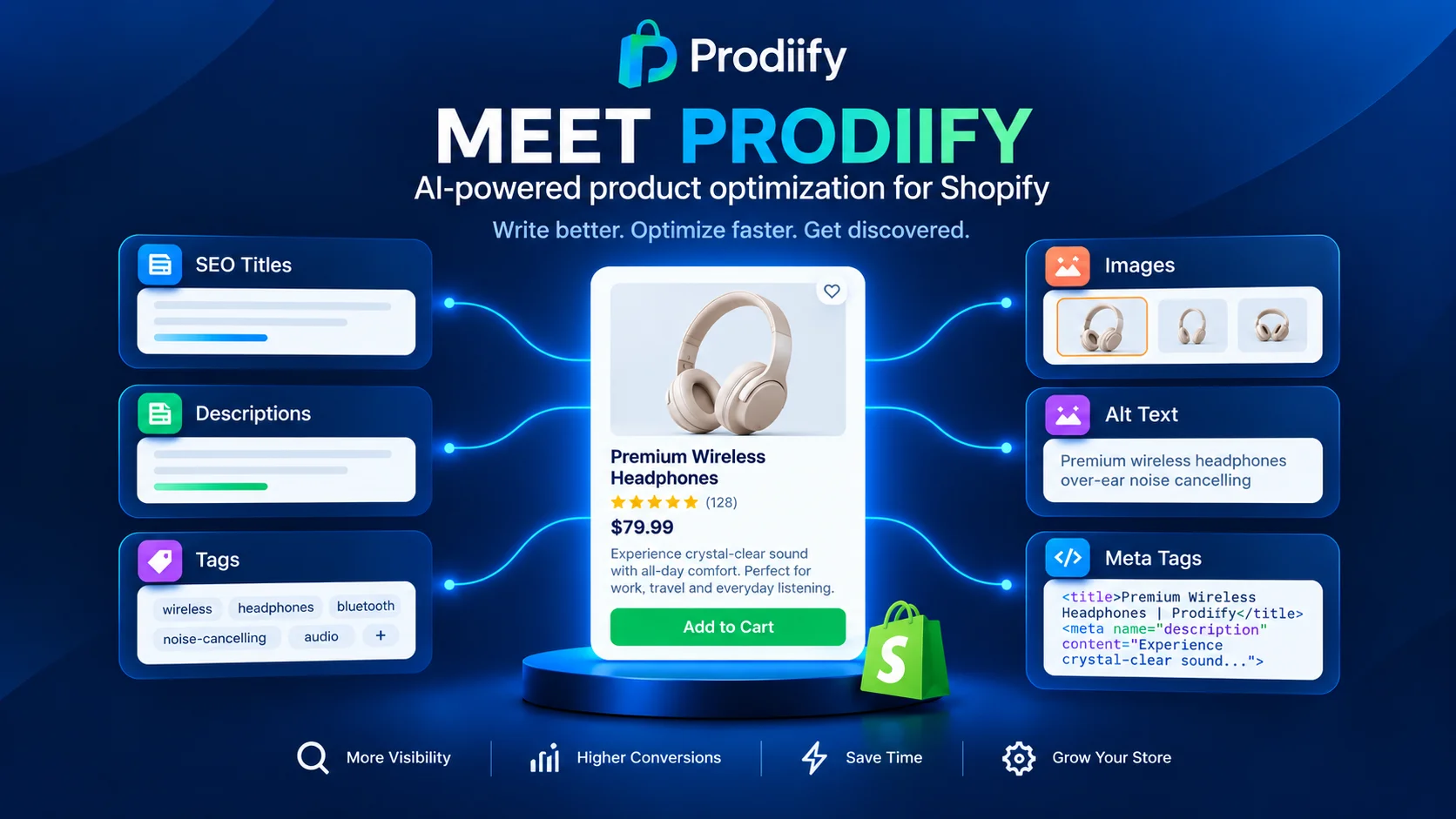
    Prodiify connects directly to your Shopify store and uses AI to generate:

    • Unique, SEO-optimized product titles
    • Keyword-rich, natural-sounding product descriptions
    • Optimized meta titles and meta descriptions
    • Descriptive image alt text

    — across your entire catalog, in minutes instead of weeks. Every AI-generated draft can be reviewed and edited before it goes live, so you stay in full control of brand voice, especially for your top-selling products.

    Importantly, Prodiify’s output is built with both Google and AI search engines in mind, so your products have a real shot at being found no matter where a shopper is searching.

    Why We Built It This Way

    We didn’t want to build a tool that replaces merchant judgment — we wanted to close the gap between “I know my SEO needs work” and actually having good SEO live on every single product page. AI handles the heavy lifting across your full catalog; you keep final say over anything that goes live.

    Prodiify320502@userEdit Profile

    AI SEO app for shopify store for a+ content- Prodiify
    Prodiify fixes your entire Shopify catalog’s SEO

    Try It Free

    Prodiify – AI SEO App is live today on the Shopify App Store, with a free plan so you can test it on a batch of your own products before deciding to roll it out store-wide.

    Install Prodiify from the Shopify App Store

    We built this because we believe every Shopify store — not just the ones with a full-time content team — deserves product pages that are actually built to be found. We’d love your feedback as you try it.

    FAQs- Prodiify AI SEO App

    1.Does Prodiify – AI SEO App replace my Shopify product descriptions automatically?

    No. Prodiify generates optimized titles, descriptions, meta tags, and alt text, but you review and approve everything before it goes live — nothing is published without your say.

    2.Will this work for a large catalog with thousands of products?

    Yes, Prodiify is built specifically for bulk optimization across large catalogs, not just a handful of products.

    3.Does Prodiify only help with Google rankings?

    No. Prodiify- AI SEO App optimizes product content for traditional search engines like Google as well as AI search tools like ChatGPT, Gemini, and Perplexity, which are an increasingly common way shoppers discover products.

    4.How long does it take to optimize my store?

    Generating optimized content for your catalog takes minutes. How quickly you see ranking improvements depends on normal SEO factors like site age, competition, and how often Google recrawls your pages — typically a few weeks to a few months.

    5.Do I need any technical or coding knowledge to use it?

    No. Prodiify connects directly to your Shopify store, and everything is managed through a simple dashboard — no code required.

    6.How is Prodiify different from other Shopify SEO apps?

    Prodiify focuses on bulk, AI-generated content across your entire catalog — titles, descriptions, meta tags, and alt text together — rather than requiring separate apps for each piece, and it’s built with AI search optimization in mind from the start.